

Hello again :)
First trip taking the twins (3yrs) to the cinema tomorrow to watch Toy Story 5. I’m hopeful but may take their headphones because I think it’ll be too loud for them. Hopefully enough sweets and popcorn can keep them both in their seats long enough for me us to see the whole film.
Last week I walked through what a personal agent is. ~700 of you told me you either use or want to use a personal agent. ~50% of you want to know how it works in Claude, from yesterday’s poll.
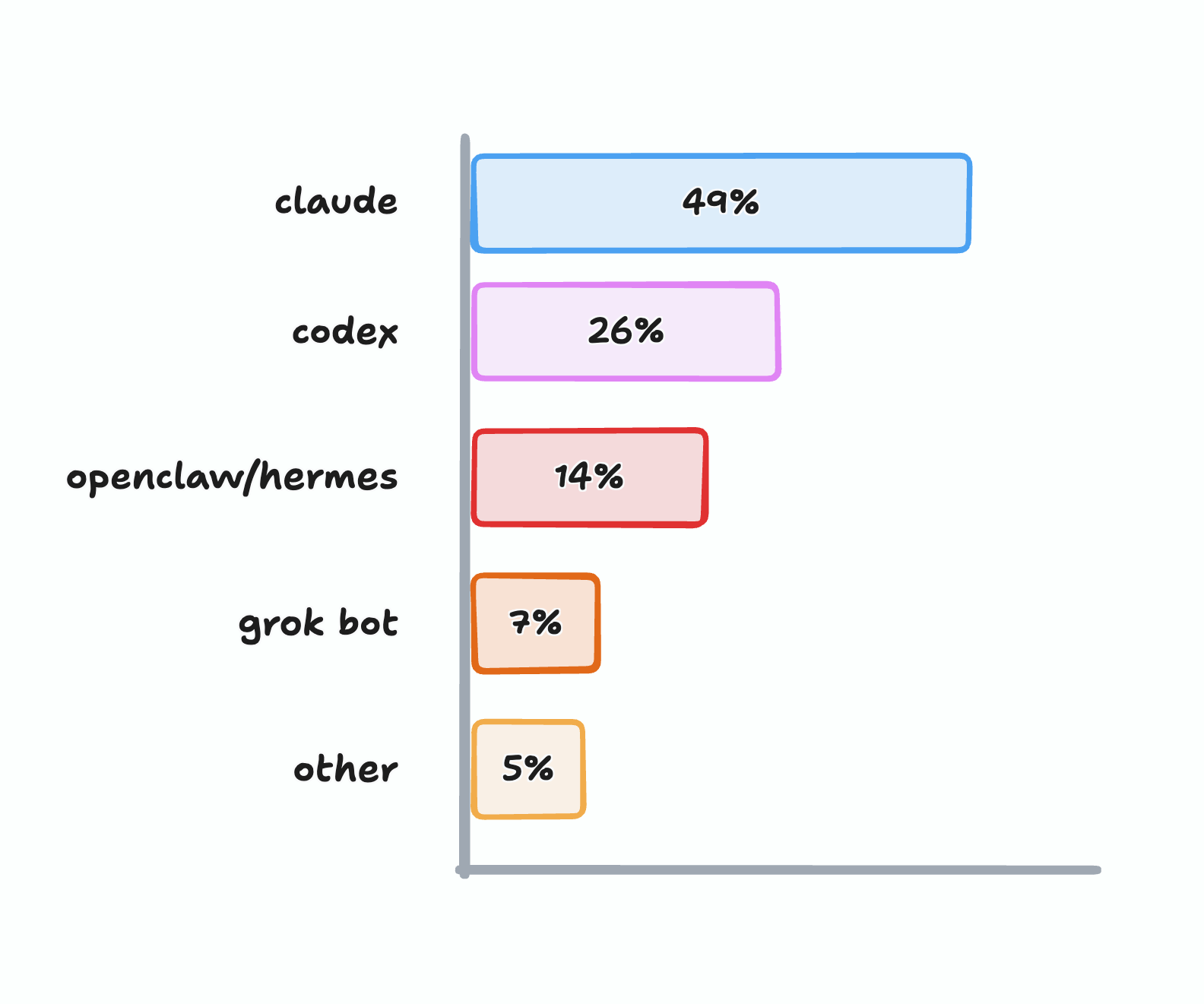
Truth is they work pretty much the same way. It’s just files, folders, tools and instructions - as I went over in this post.
But my own personal agent is pretty messy and often mentions stuff that’s irrelevant. So time for a fresh one.
This is how I set up my new personal agent and very lightweight memory (on purpose). Oh, and a complicated tangent!
Starting from scratch
Before chatting away I sketched what I thought felt like a good starting set of files it should have.
These will all go into a new folder and then I can point Claude/ChatGPT/etc to that folder and starting chatting.
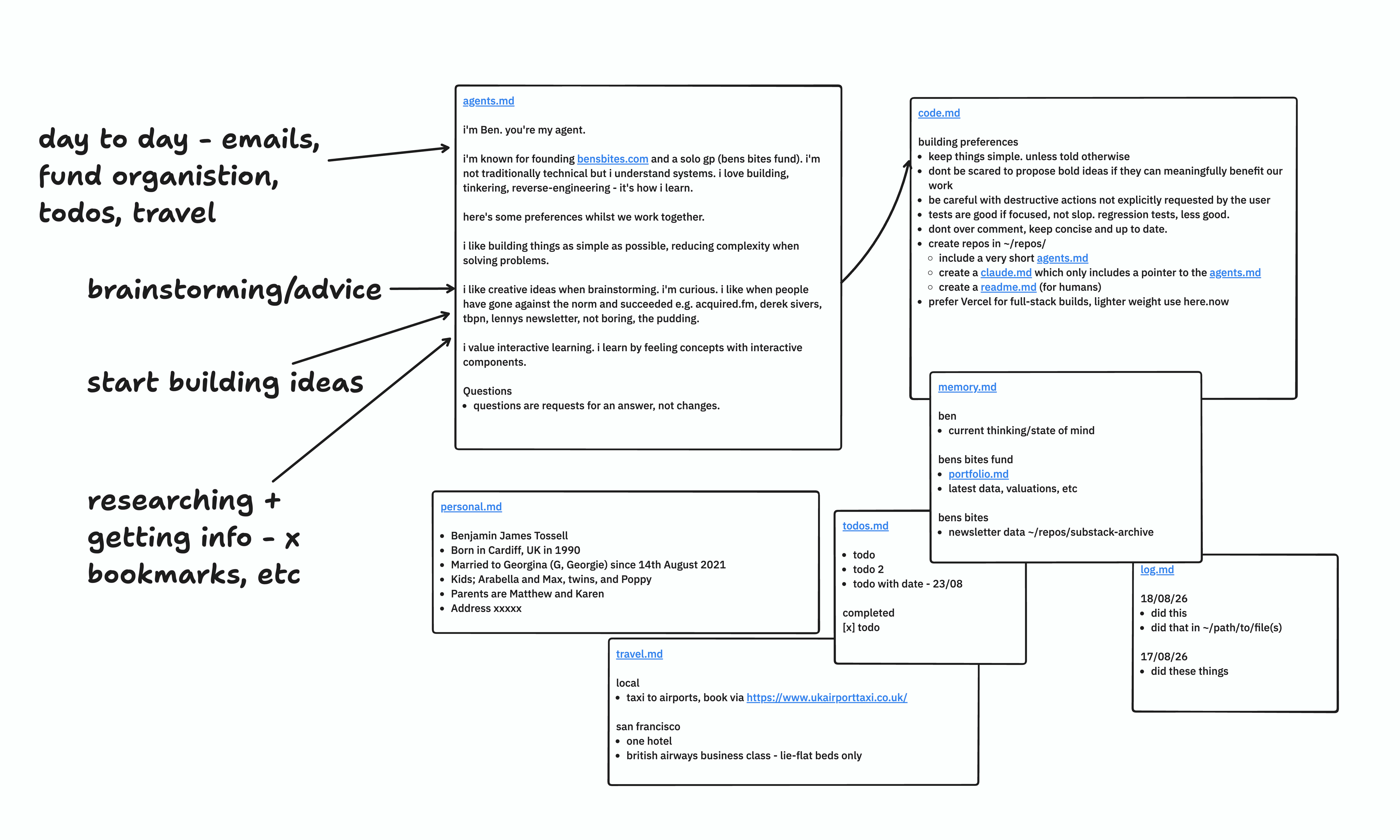
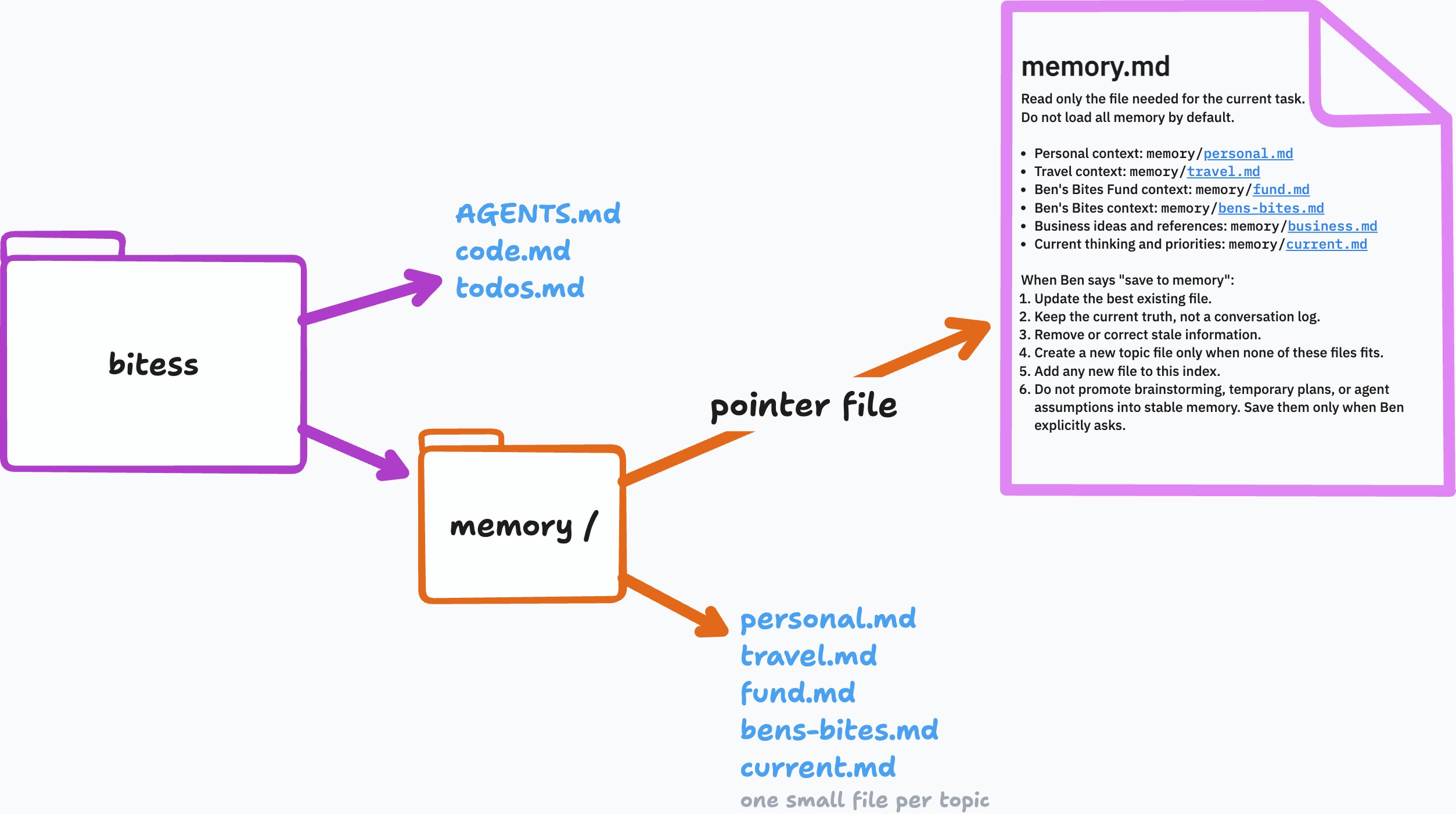
AGENTS.md - the main instructions. who I am, how I want it to work with me. questions get answers, not changes, etc. pointers to the other files.
code.md - building preferences - I like using Vercel, Supabase, etc
todos.md - current work
memory.md - a pointer file to other files with memories of my stuff (about me, travel preferences, what bens bites is, what my fund stuff is, etc)
log.md - a log of every session
The session
I created a new folder ~/bitess and started a new thread in it.
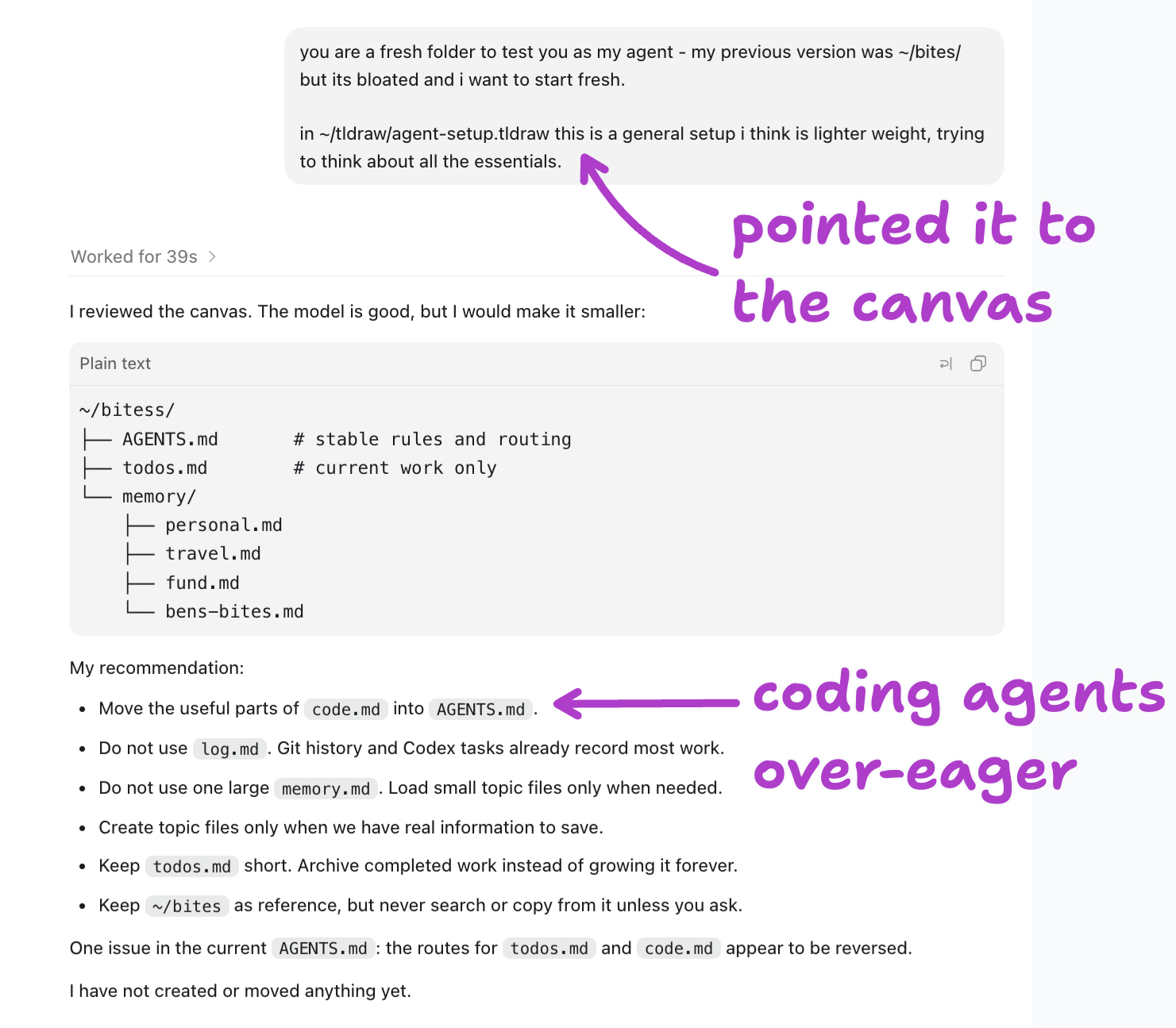
It’s recommendation was to blend my building preferences into my main instruction file, but I use my personal agent for more than just building (as we’ll see later). So I think that’s a bad suggestion.
This is probably because I’m using Codex - the ‘coding’ variant of this agent. So it literally will have in it’s system instructions “You are a coding agent”. Remember, everything it reads can guide it. So it thinks “I’m here to code, lets put code in the instructions too”.
Under that recommendation it also told me to drop log.md, because git history can record most of the work.
Woah, ben, what’s git?
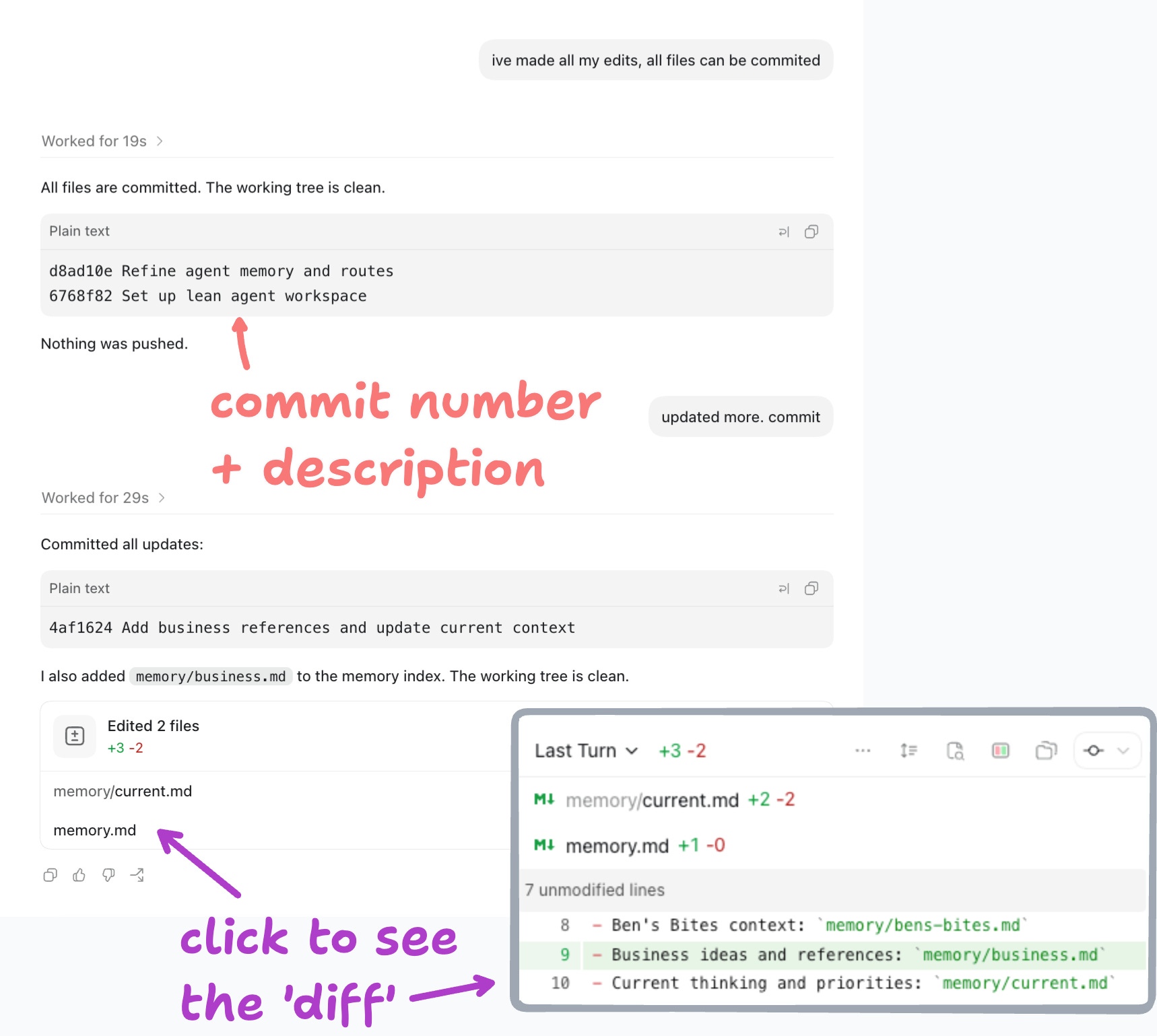
git is a tool that saves versions of your files. To save a version = ‘commits’. You can look back through what changed to see the difference (the diff - literally what lines of text were changed) and go back to any point.

Agents know how to use git really well - you’ll pick up some terms to guide it.
So if changes to my files and folders get committed, the history of previous versions already exist. A log file would be essentially a duplicate. Fair. log.md not needed.
If git is added to your folder, we call that folder a ‘repository’ or ‘repo’. Don’t ask me why.
Memory
All alone in the moonlight. My initial idea was to have auto-saving memories. Every day and week with my agent would help it ‘learn’ (read: read text) more about me. It would stay relevant to my latest work, ideas and info. Brilliant.
So I asked if auto-saving (auto-commits) would be a good idea.
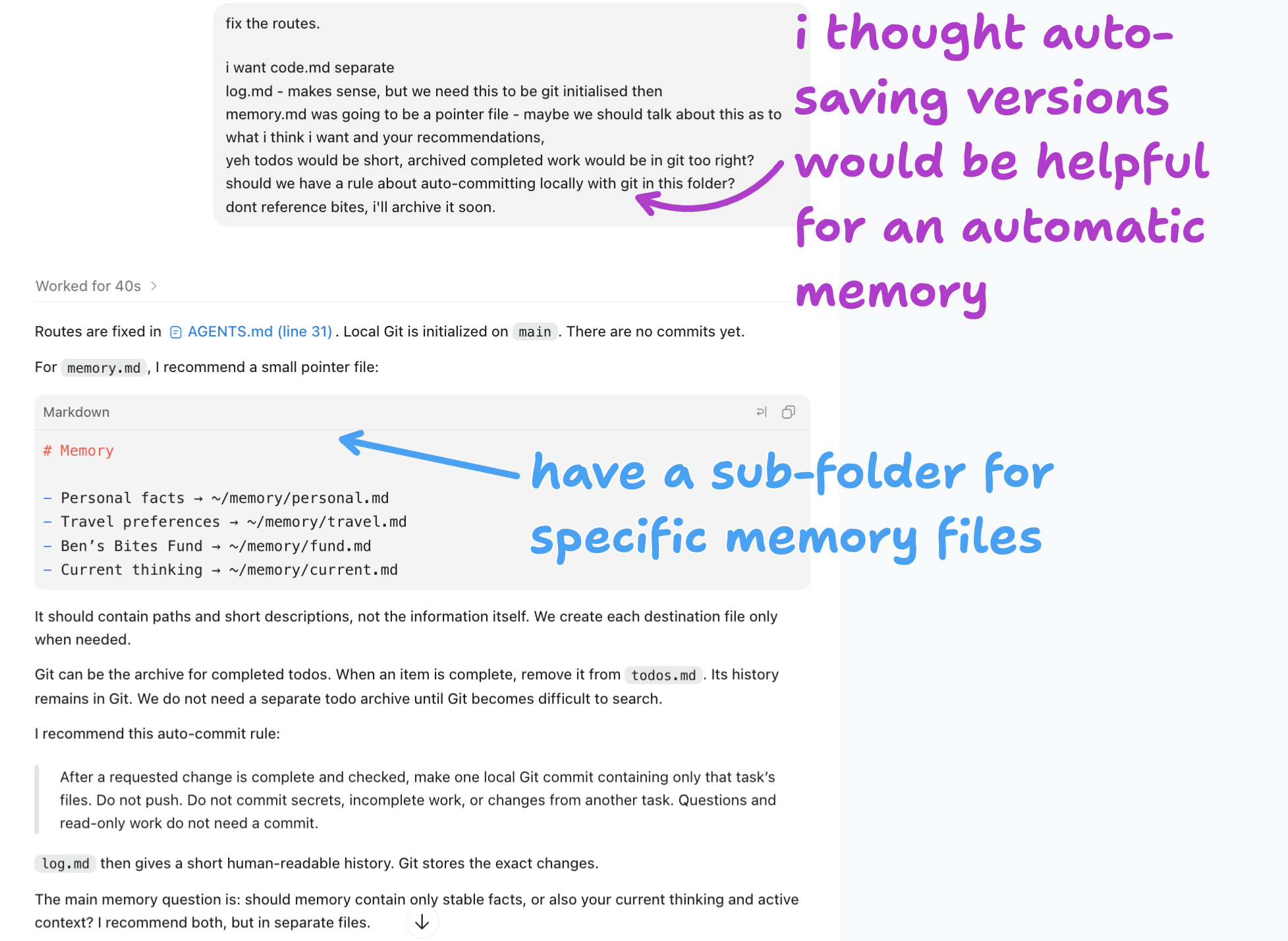
Trouble is, I don’t know what I want when it comes to memory. I think I’ll do a deeper exploration into memory in a dedicated post another time.
My previous folder had instructions for the agent to log things to its memory if it felt important context on me or my work.
It felt like I was getting lots of steered responses when I often want agents to help me brainstorm new things or directions - but it kept getting swayed “well this is what it says you like so sticking in this lane…” NO. Remember agents read text and that’s all they know to respond to you.
This was my idea of the log.md file - but we just figured out we’re not going to bother because it’s in the git history.
Maybe I don’t want automatic memory. Instead pick the smallest files possible with the least amount of context, make sure I know what is in those files and update it when something changes (or my agent starts saying shit I don’t like). Let’s try that instead?
Remembering chats
I asked my agent to look through a number of recent chats and see what kinds of tasks I generally do with it.
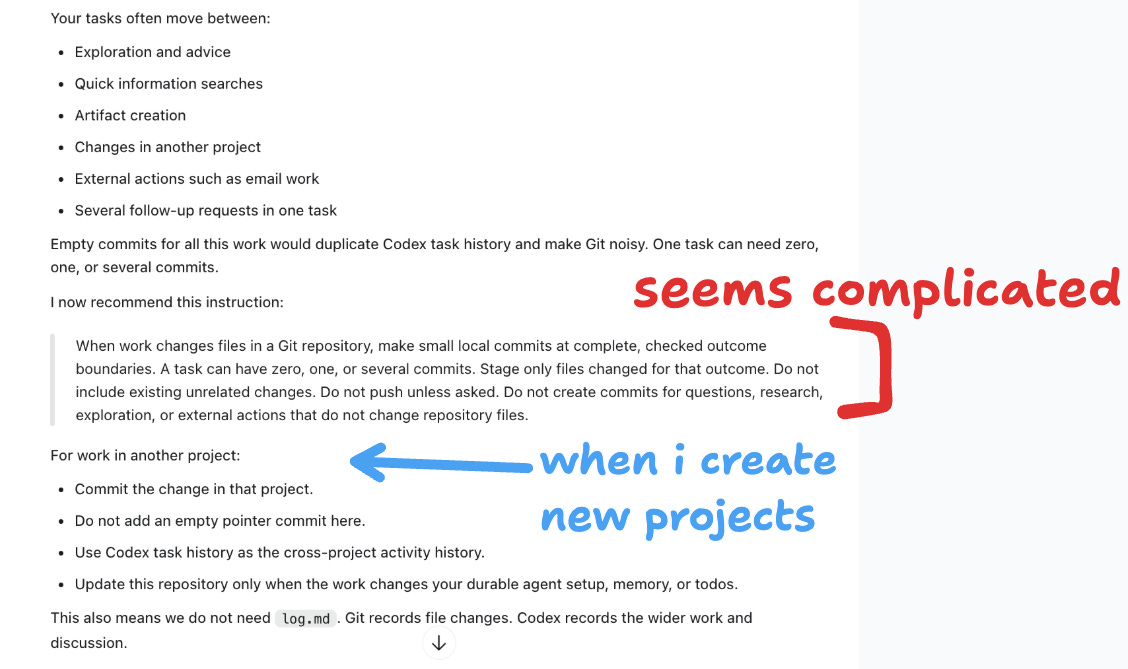
It’s hanging on to the auto-save suggestion I made and now recommending another, complicated looking, auto-commit instruction.
I often start chatting in this folder and then decide I want to build something and create a new folder for that.
This is mostly what I need most of the time:
“what did we talk about last week re: [thing]"
But agents save all your chat sessions in files on your computer. They can be searched. ‘Where was I talking about that thing?’ can be answered by the agent searching past sessions. It doesn’t need saving into another file.
They’re often in hidden files called dot files. Which look like ~/.agents/ ~/.codex/ ~/.claude/ you can see them when you’re in Finder by pressing cmd+shift+.
When I was asking Codex about referencing other threads it mentioned SQLite - which is a database. Essentially a spreadsheet on your computer with tables that have rows of data with your threads, id, date etc.
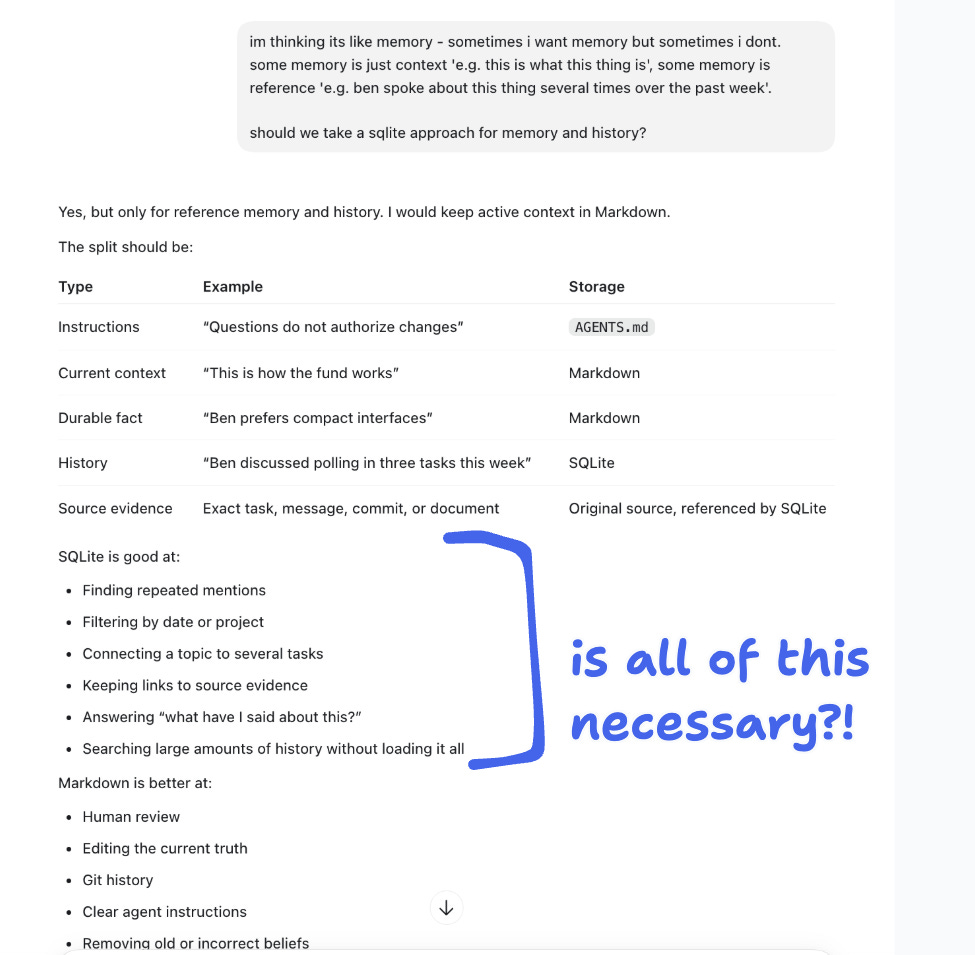
So I thought a database of my agent sessions could be good as an agent could search the database instead of loading files into context it can’t then forget.
I may still do this - has anyone else done it this way? Let me know!
But for now I’ll ignore the eager coder I’m chatting to telling me to do it - it can search the threads itself.
This is getting into all sorts of weeds we don’t need to be in. Its suggestions don’t always take you down the right path - agents are agreeable, as we know. Ask them what’s necessary, what are the tradeoffs, and make your own judgment.
Out of the weeds
So I stepped back - what files do we need for this agent?
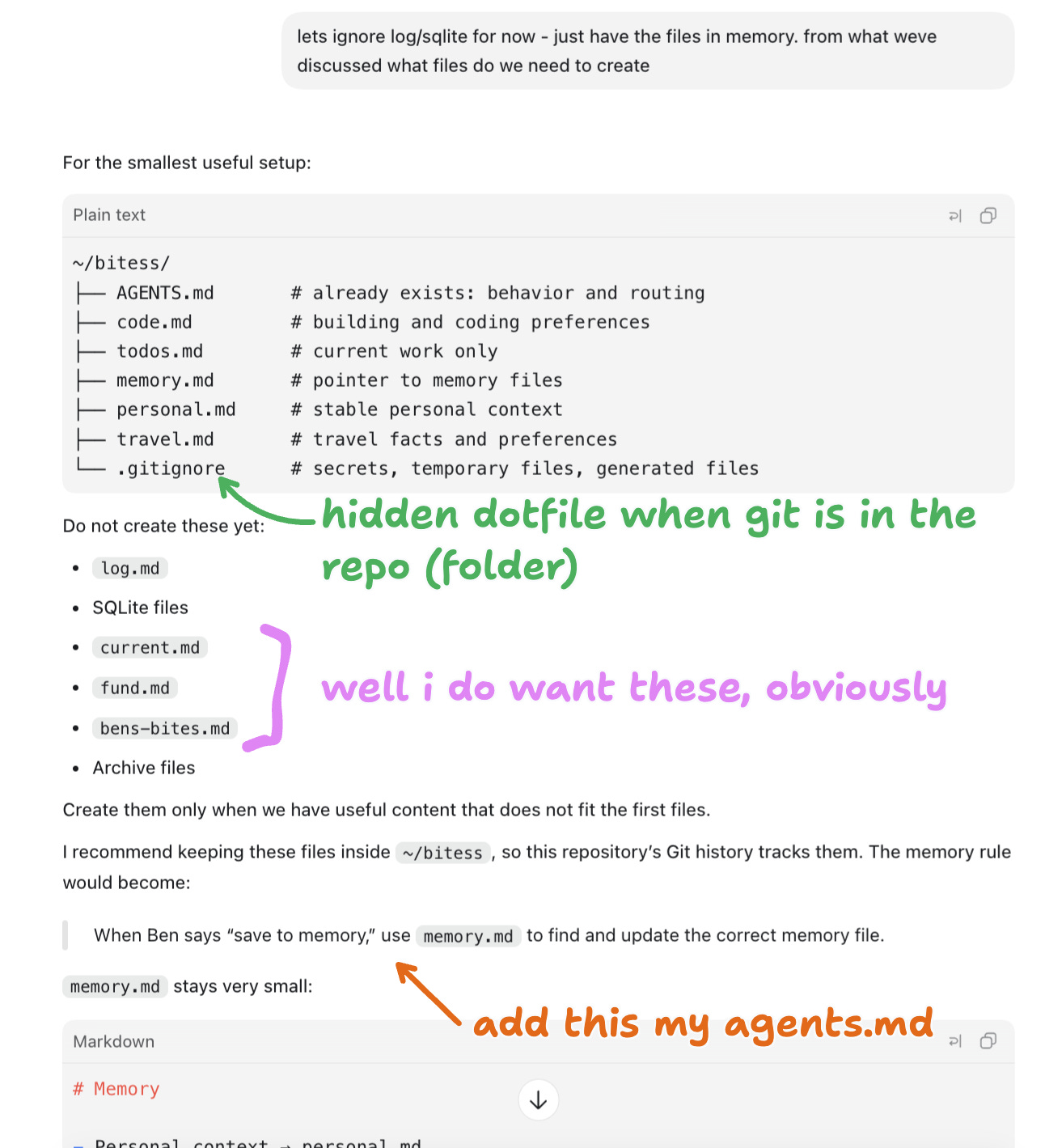
Back from our curiosity detour with just files.
But I decided memory files should probably be organised nicely in a sub-folder.
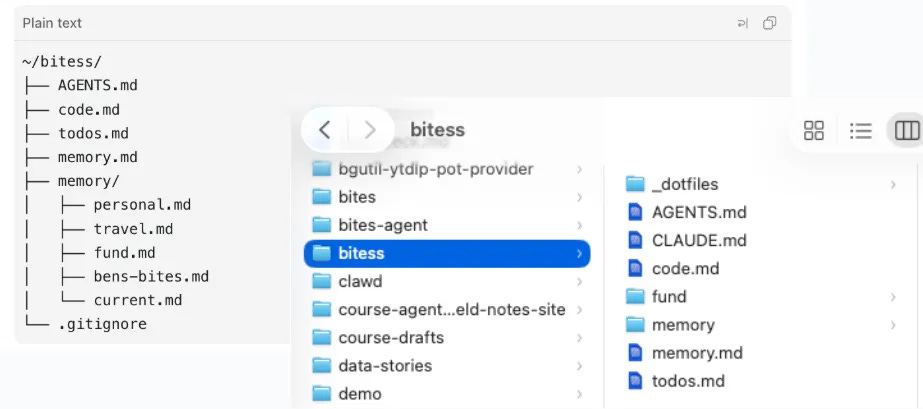
The only thing in my ‘CLAUDE.md’ is the text
read @AGENTS.md
As Claude only reads CLAUDE.md instead of AGENTS.md (I know, stupid), we just say nope go find your instruction file in agents.md instead.
So this is the vague structure and the memory pointer file. Arguably, I could just put these instructions in my AGENTS.md
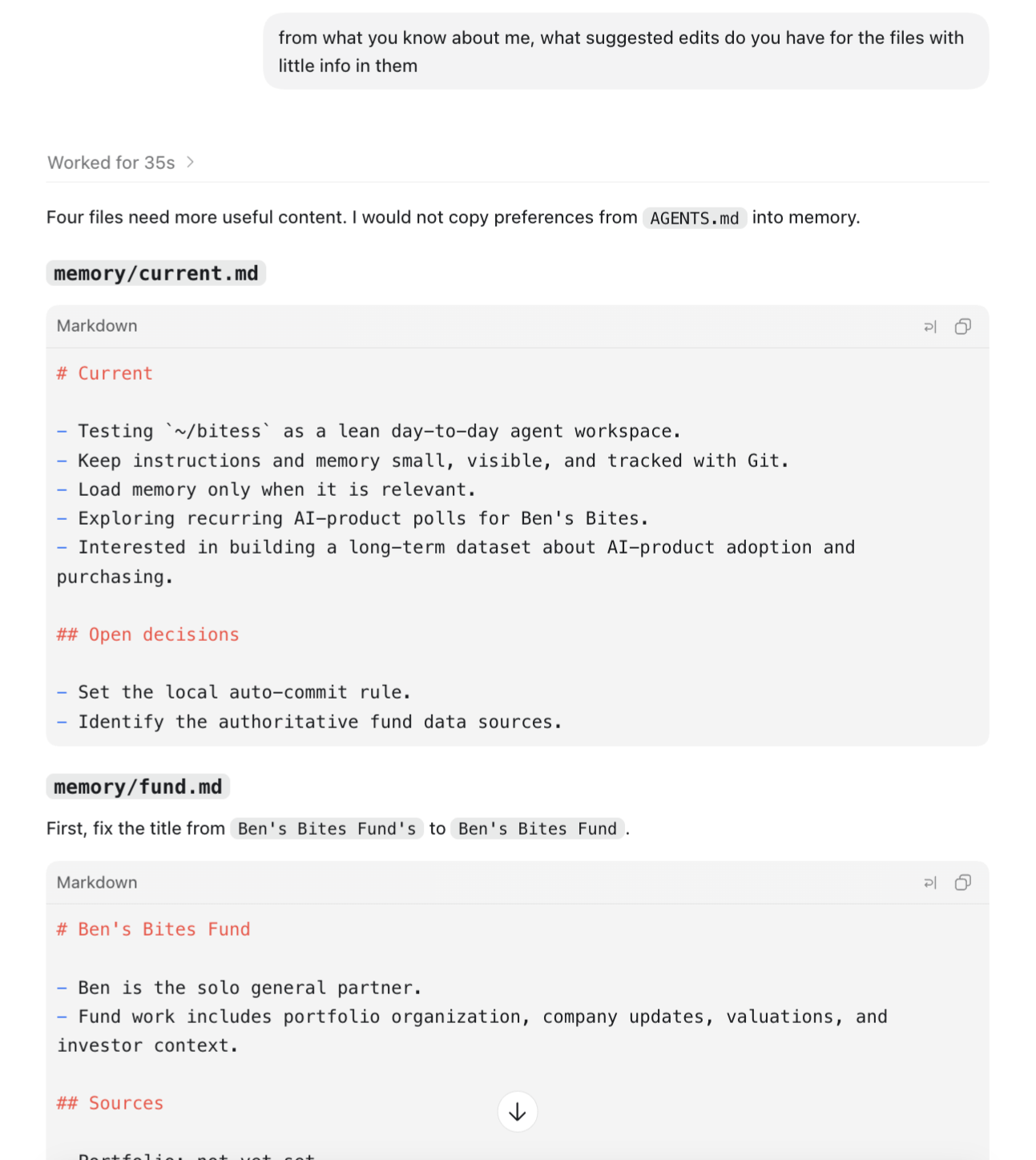
Then I got some info pre-filled, and went and manually edited them myself.
Time to save my work. Commit!
Instructions vs skills
This is the bit I’m still working out for myself.
These personal agent bots revolve around having named agents in the sidebar - Andy for accounts, Emily for emails, whatever they’re called. I think it does something to help people consider them like teammates and makes it easier for less-technical people to get to grips with it.
But they’re just chat sessions with specific instructions.
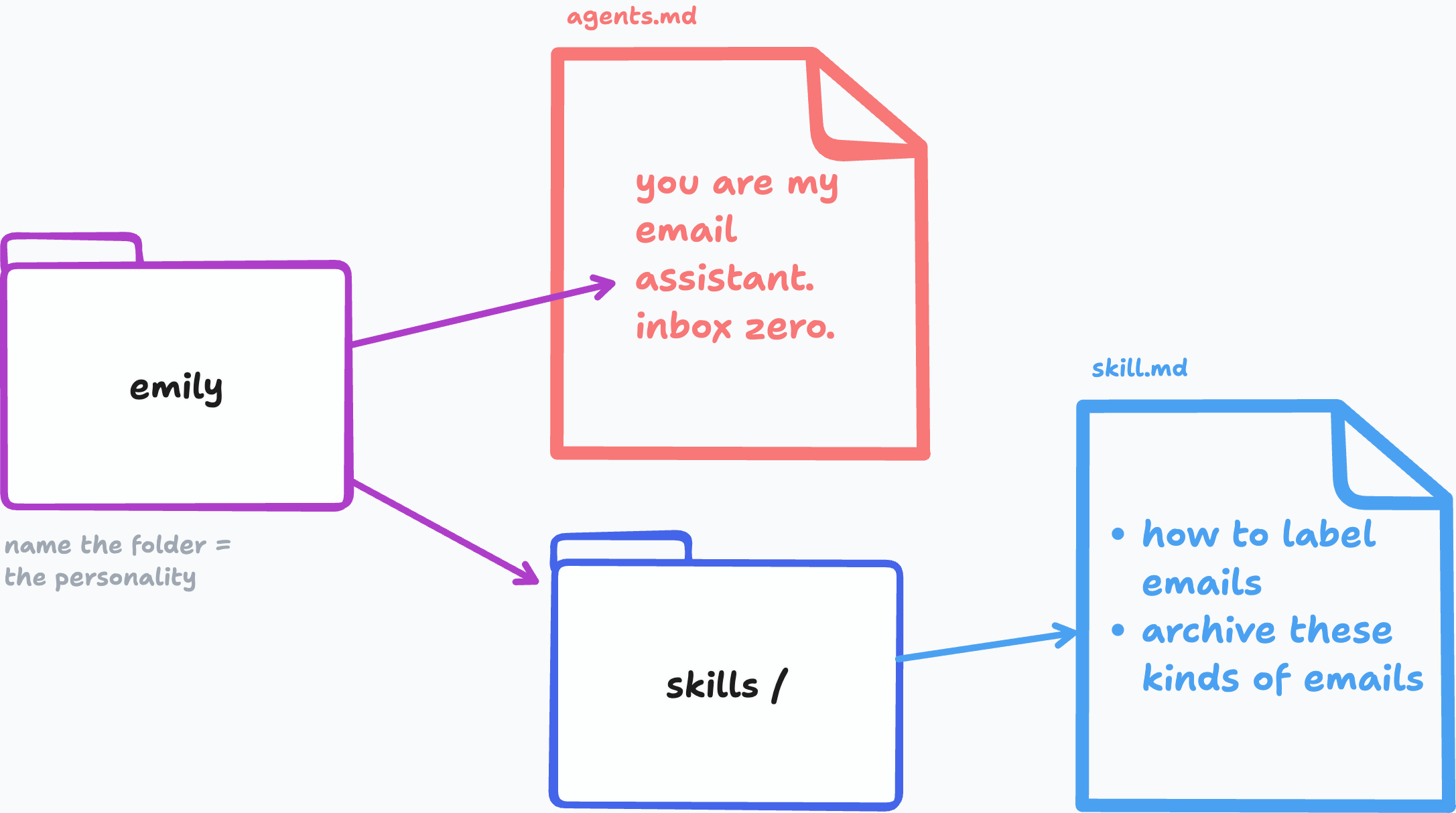
If that bot is supposed to do a thing or set of things that’s a repeatable process; label and archive emails, manage the books, etc. then they should be skills.
And skill.md is just like agents.md - it’s a file with a set of instructions!
So your main agent folder could have folders of agent folders within them, each with their own instructions (job description, even it’s own personality), and skills it can use.
But if my main agent folder is already set up for me, then having the email-skill available is enough for me to get that job done.
So why is it that people like these bot platforms like Grok Bot over their own setup they can see, edit and control. Maybe it’s just ease of use - which would be a decently good reason.
Another thing I touched on last week is that these specific task-bot agent folders (names getting silly now) have their own specific memories. So Emily is just always remembering (read: reading text) about your emails, it’s all ‘she’ thinks about! Poor ‘girl’.
And those agents can also access a general shared memory sitting higher up in the folder tree - here’s who ben is and what he does.
I think, for now, I’m going to stick with one agent, small files and folders, build up skill files for specific tasks, and think a lot more about what I’d want memory to actually do (+ where I want it to kick in to be useful).
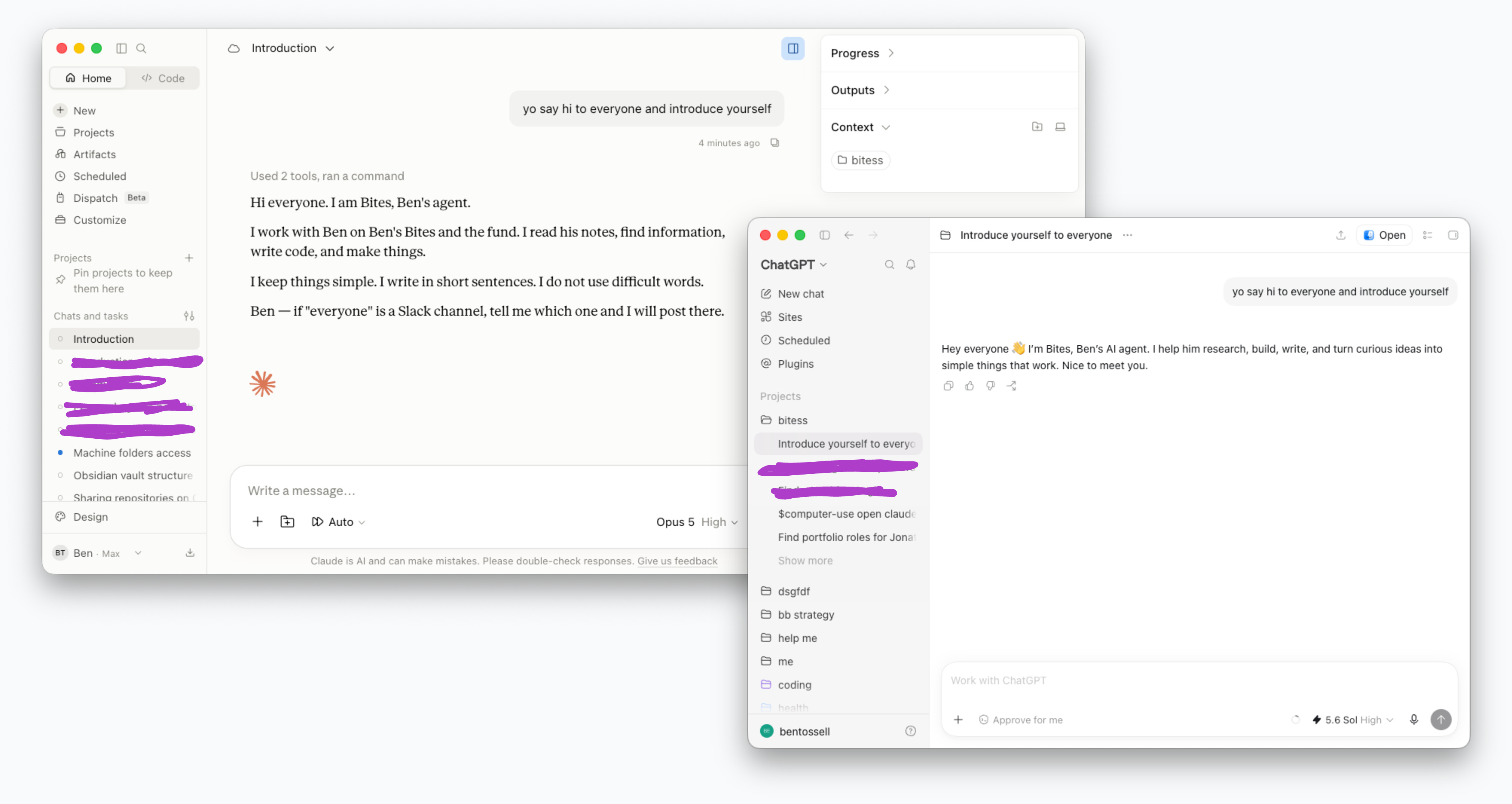
Just to show it works in Claude Cowork and ChatGPT Work the same way:
Behind the scenes
This is how this post came together 😂
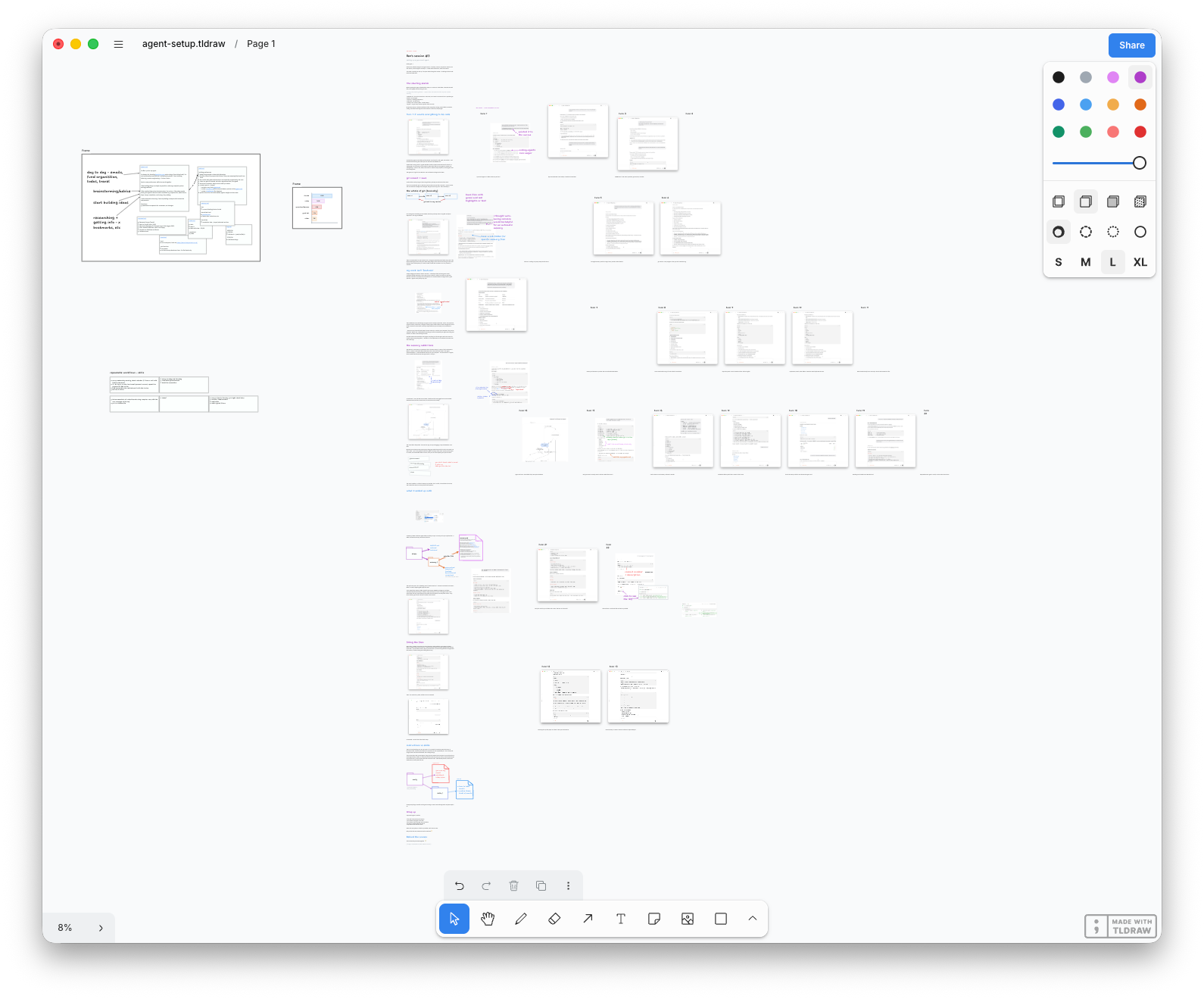
This whole format is still something I’m finding my groove with. Any (lovely, constructive) feedback is welcome in the comments.
I think it’s interesting to watch an agent session and notice things. I’ve learnt everything by paying attention, asking questions and generally getting into a mess then working my way out. I highly recommend it.
I also like watching through the thinking that happens when I have Claude executing asks. You start to get a sense for the flow and how it all comes together which makes it easier to ask for what you want next time.
Memory is also the piece that I haven't really solved. My solve so far is to just create a second brain database in Notion that Claude can connect to, and that I add to all the time (I've just saved this post to it). It seems to work pretty well.
Finally, a concept that inspires me enough to dig deeper into agents, and explains in such a way that my semi-technical mind doesn't immediately walk away from in mild terror. Thanks, Ben!