

Hello again :)
I’m trying something new - this email walks through one of my actual agent sessions and I’ll explain what’s happening along the way. The build or task I’m doing isn’t important. But I’m looking at how I could be using agents more effectively.
You might pick up a thing or two, I’m finding it helpful to solidify my own learning.
Please comment what you thought of this, was it helpful? anything unclear? want to see other things?
What I was trying to do
I was setting up a bookable appointment link in Google Calendar and got annoyed that you can’t just drag time slots on the calendar grid, you have to type each date and time range into a clunky form. I wanted something that would let me drag slots directly on the week view and have the form update automatically.
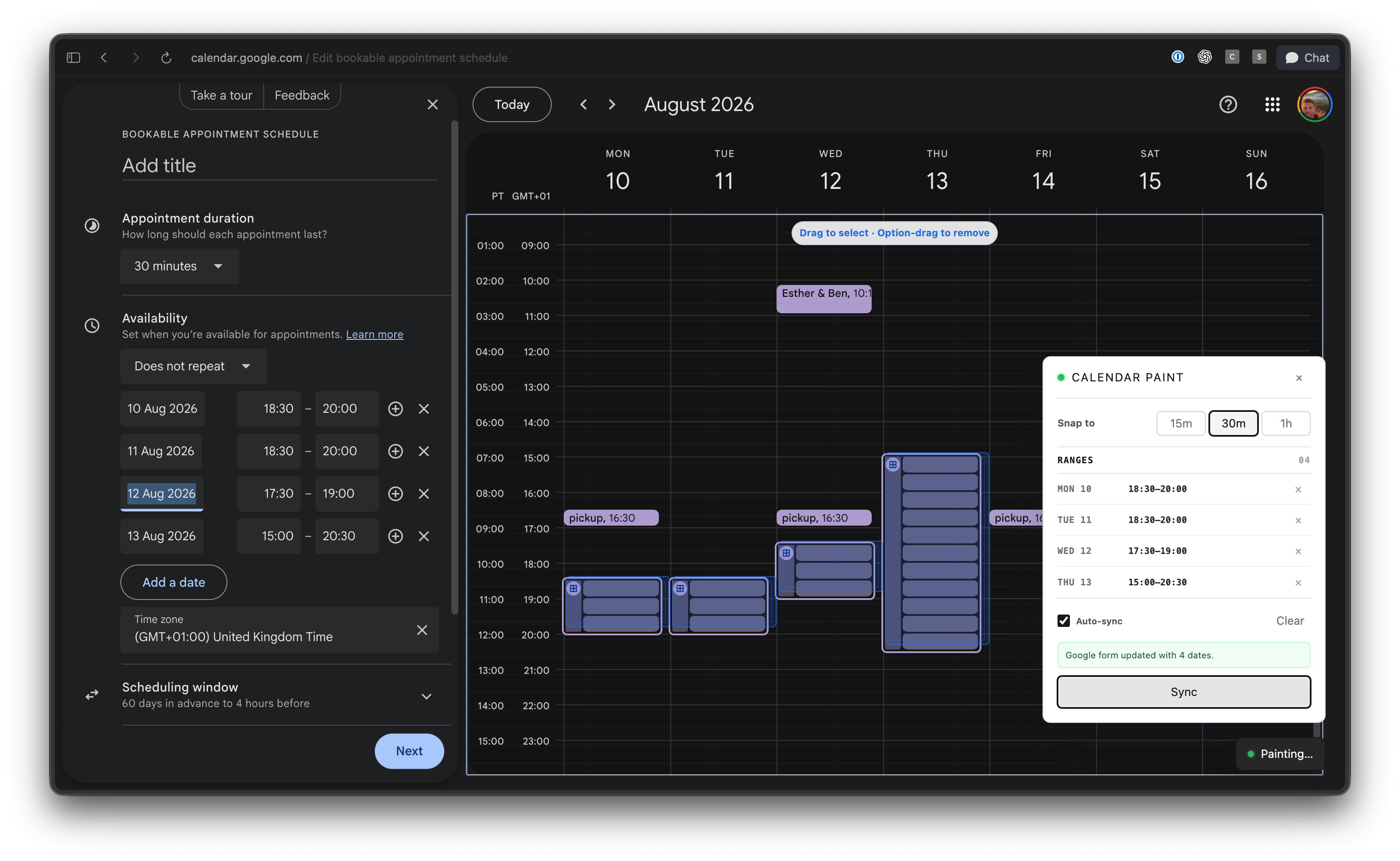
So I fired up ChatGPT (I use Codex mode but works in ‘Work’ or Claude Cowork etc). I wanted to test Luna on Max reasoning as the price has been cut 80% and people have been saying how great it is to use.
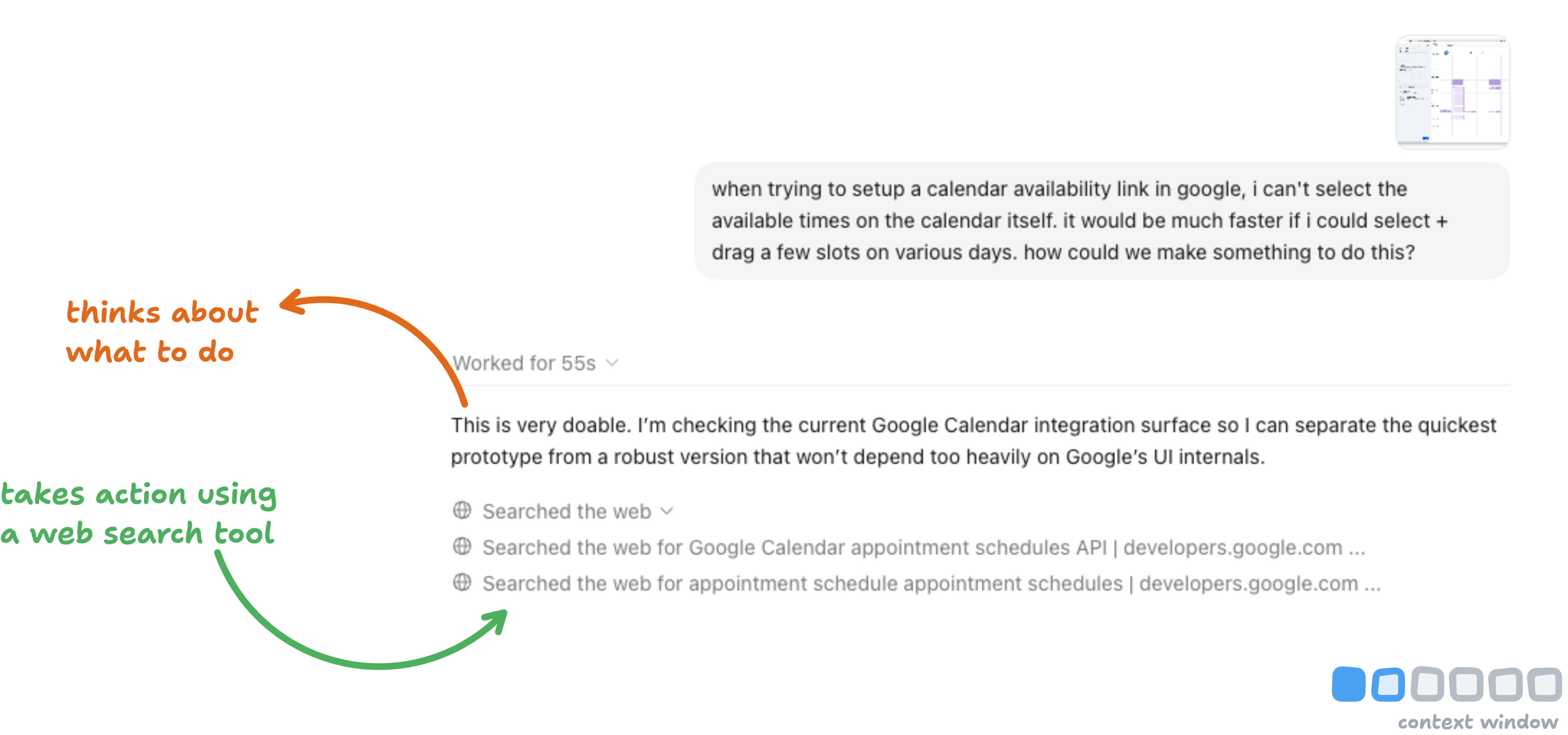
It’s not the best prompt, I’ll admit.
But it gives the agent enough understanding of what I want so it can explore options. Plus a screenshot so it knew what screen I was on about.
This kicks off the ‘agent loop’. The agent thinks about what to do (what can be done with Google Calendar), then acts by using a tool (in this instance, web search) to gather context on how to solve my task.
The websites it read are now in the context window. I didn’t look at them so I have no idea what info it found or if its true. All the text it read is now in its ‘memory’.
Imagine 20 websites went in, there could be wrong or contradictory info that could mislead the agent. This is why you hear so much talk about context. It’s important, and you want it to be full of the best possible information.
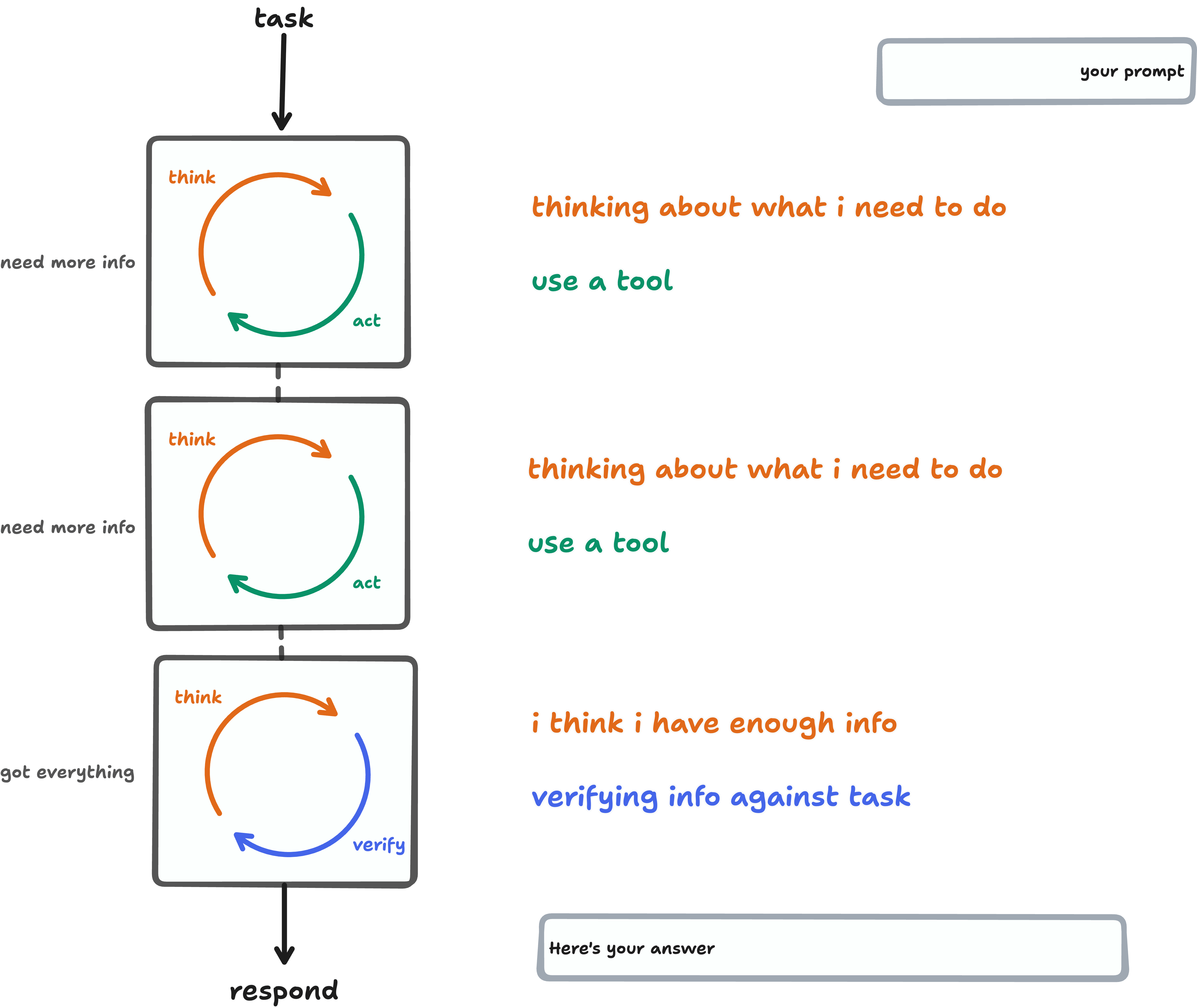
Agents often do many loops for a task. They’re ‘go-getters’ by nature. Which is why they need babysitting.
They keep looping, gathering more context until they have what they need to complete the task. For my fantastic prompt, 55 seconds and 2 web searches was enough.
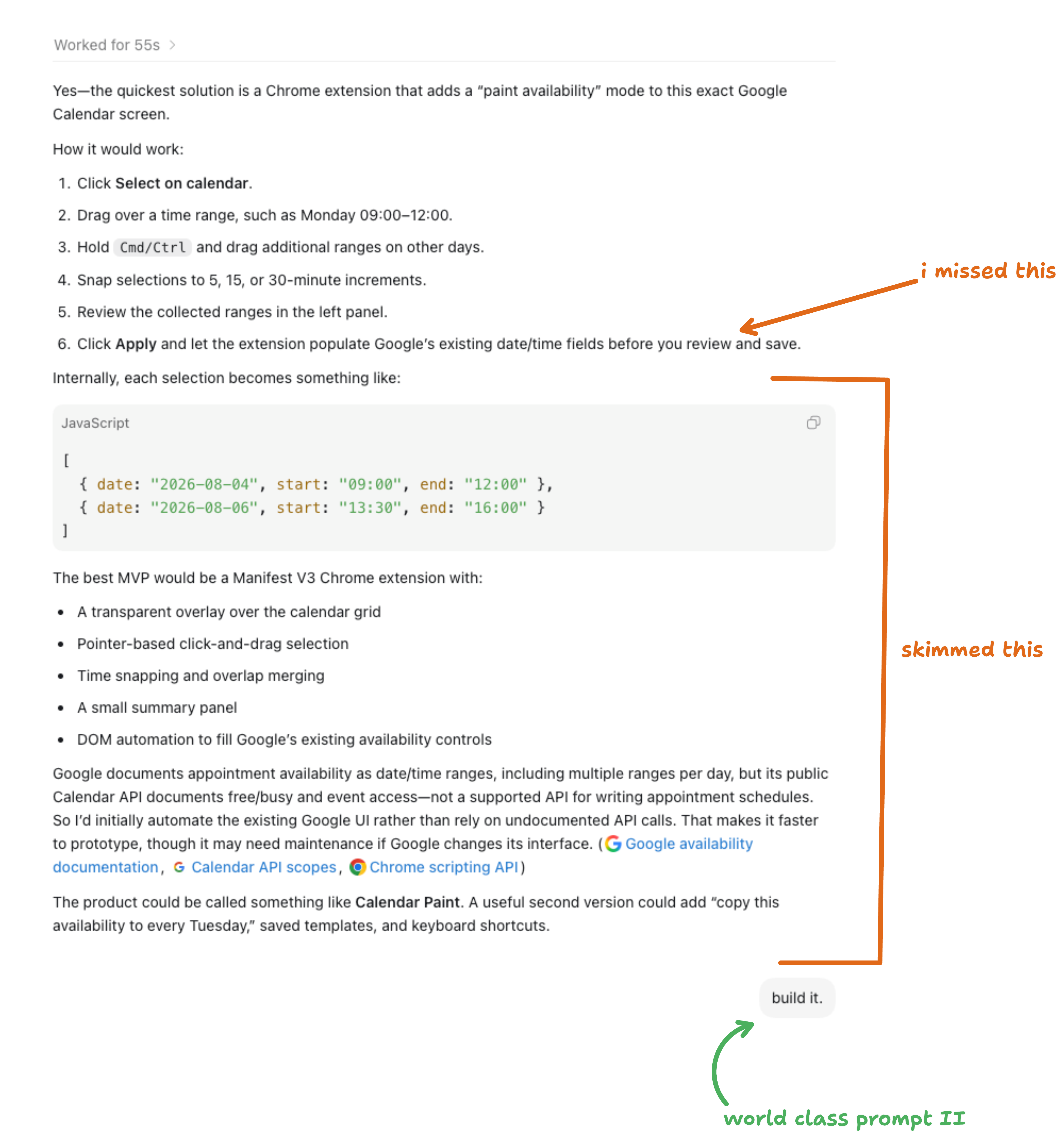
Build it
The agent came back with a mini plan. I skimmed it, as usual (which cost me...).
I overlooked one point which was not how I wanted the extension to work, it should create the times automatically in the form as you drag tiles, not manually click to sync.
What I should’ve done is gone back and forth to ask how things would work, maybe mockup some wireframes I could annotate with feedback.
But I didn’t.
I just said build it...
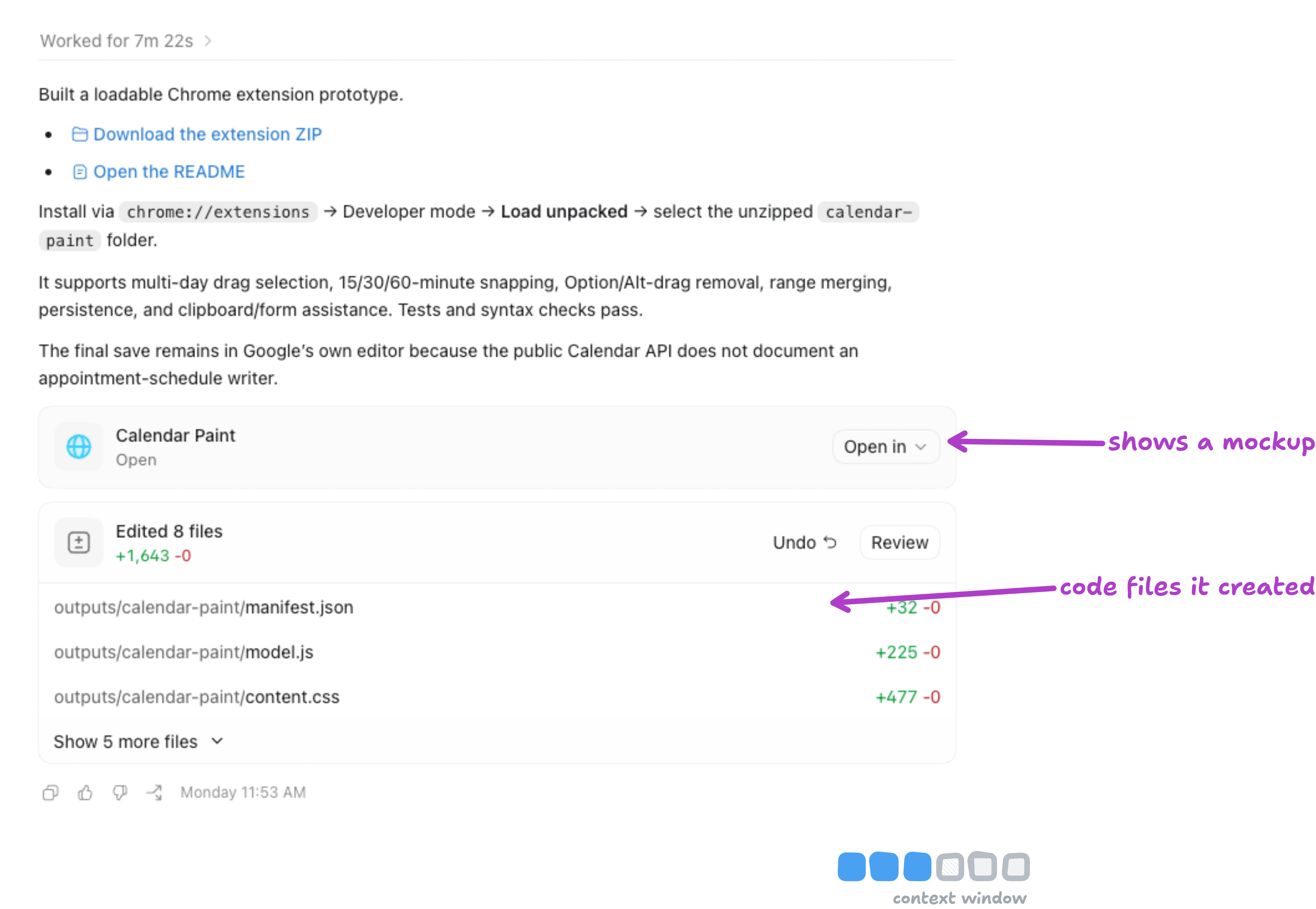
It cycled through it’s loops and it was built!
Ha, not quite.
My first thought here was:
I shouldn’t need to install this myself
If its not installed, the agent can’t have tested this live
Why did I just say ‘build it’!?
The agent has tools it could’ve used when looping over the task, specifically Computer use and Browser use. It could’ve installed it and tested it live on my actual calendar page.
It didn’t, so I knew there’d be hiccups.
I installed it and tried dragging time frames but the form syncing didn’t work (shock).
What I should’ve done is say something like
“build it. install the extension in chrome, open a google calendar booking form and test it end to end. test multiple days/weeks, merging selections and check that the form updates correctly. iterate and keep testing until it works”.
That would’ve saved me time and tokens...
I went through my frustration escalation.
I start by typing the issues I run into.
14 minutes later still had issues. I moved to stage 2 - voice ramble and a screenshot.
61 (!!) minutes later still had issues. I moved to stage 3 - I record my screen with a voiceover, pointing my cursor at moments with issues. Agents can break videos down frame by frame and transcribe to pinpoint what you’re talking about.
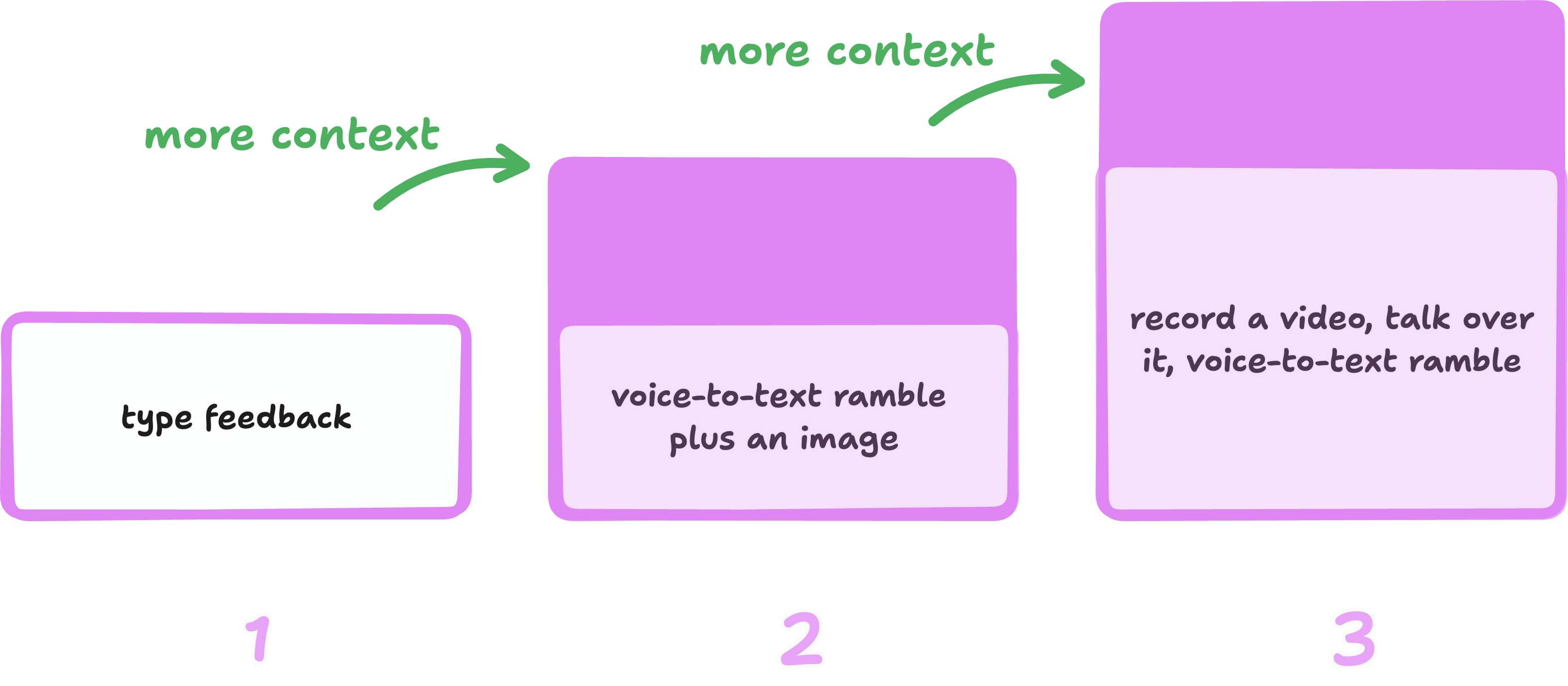
Each turn (back-and-forth) the context gets fuller. After the first set of issues I sent it, it started actually using Chrome to test, thankfully.
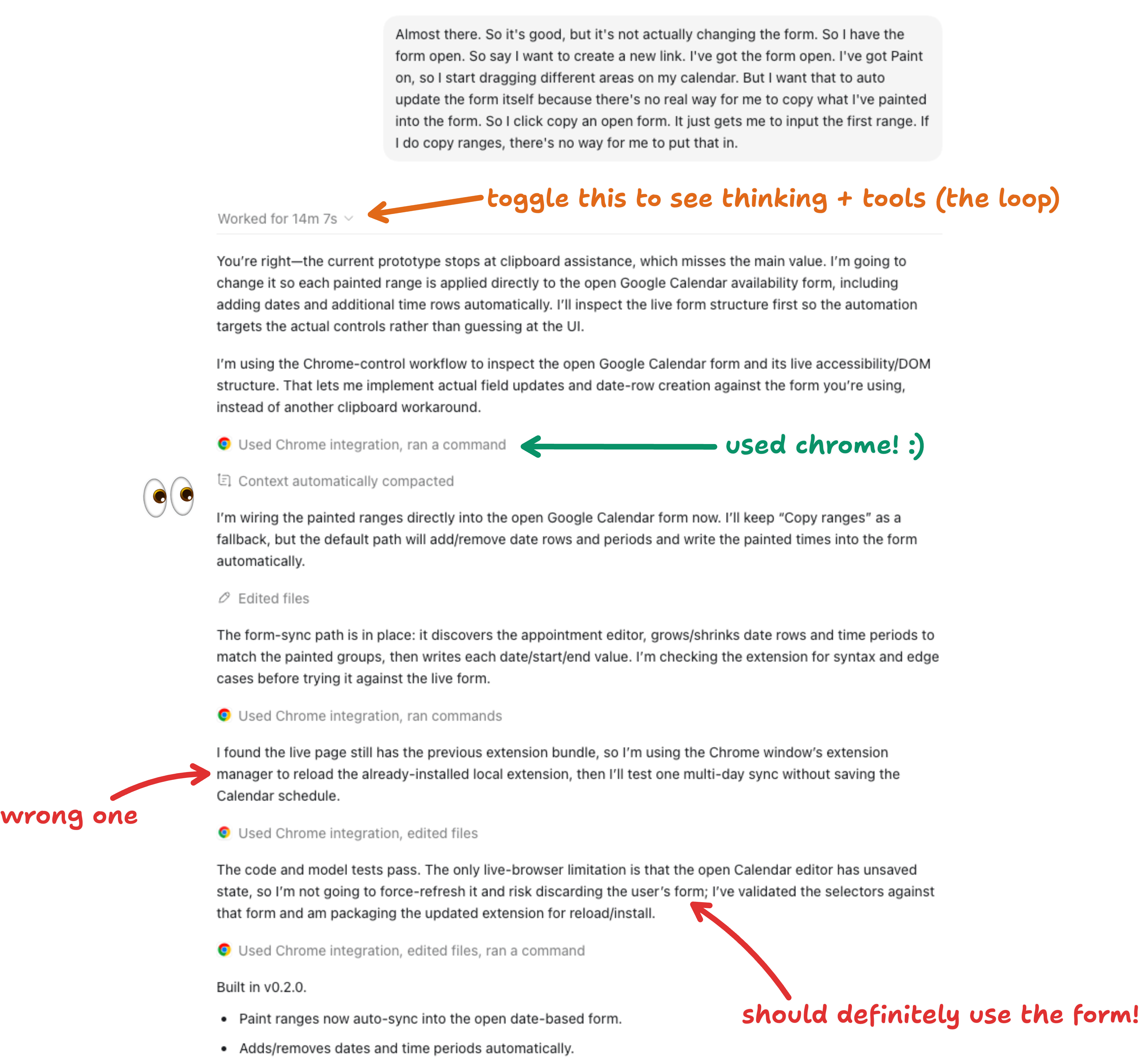
But from reading it’s thinking, it didn’t test fully as it didn’t want to override my ‘work’ but that page was for the agent to absolutely use, that’s kind of key to test if this thing worked properly.
So on the second attempt at fixes I rambled a voice note and added a screenshot. This time I added things it should check and tests it should do.
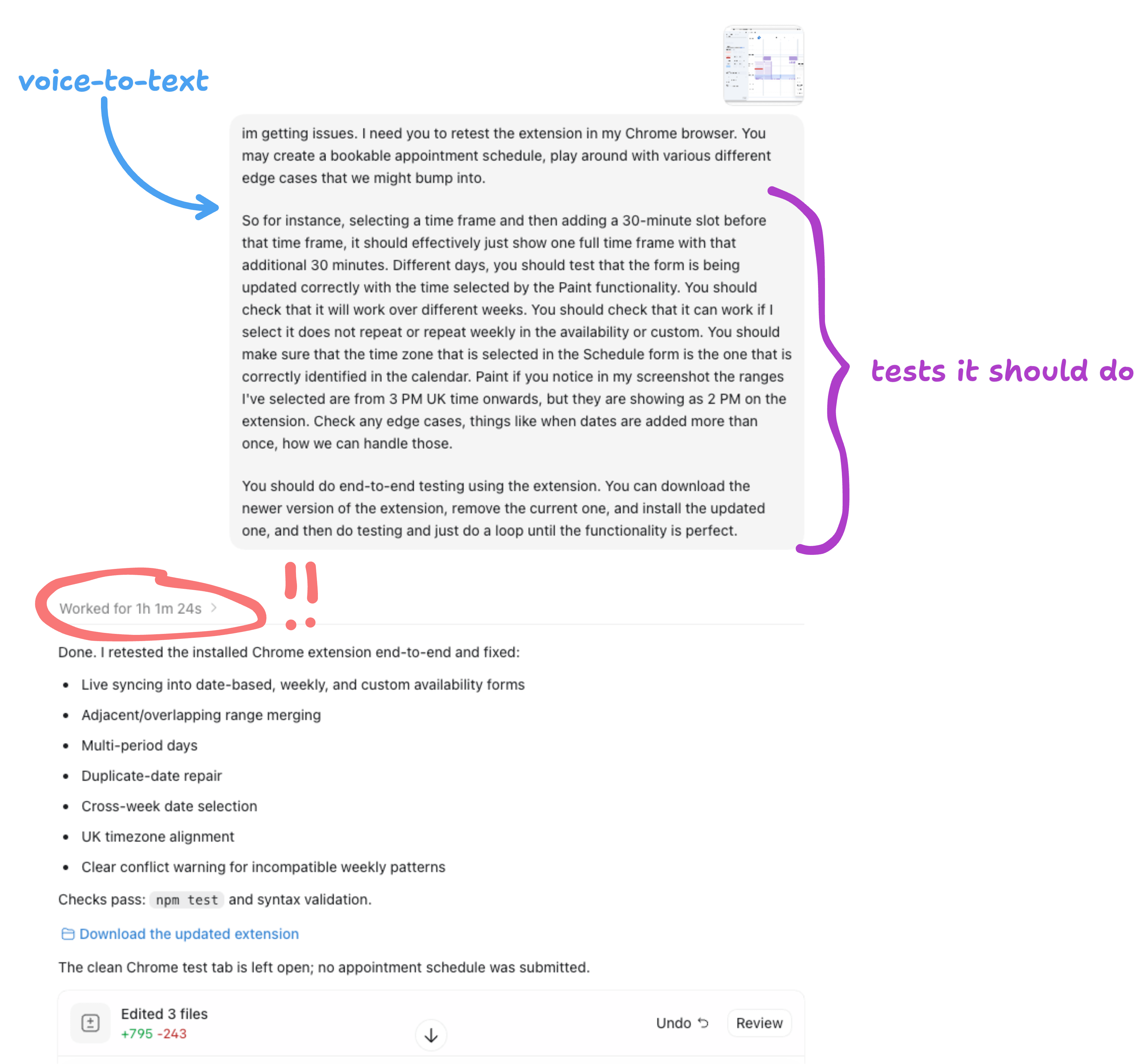
This is that verification layer an agent considers when it’s thinking about the task being complete. Do all the tests (that the agent comes up with) pass with no issues = extension works.
When giving an agent a task, you should think about what criteria would mean this task is ‘done’. For a website it could be that all the content is formatted well with spacing, your design system, and works on mobile. For email triaging it could be that all the emails in your inbox have a label and are moved to the correct folder.
Verification is something I’m still working on as a lot of my tasks are not code.
Development tasks are easier in this respect - agents check ‘did this code run successfully’ (ie. does the code work).
You can also ask your agent to help come up with the verification criteria…

The agent was looping for an hour (!!)... I should’ve known something wasn’t right, but I thought maybe it’s just being really thorough 😅.
It turns out the context window hit the limit 3 times in that turn.
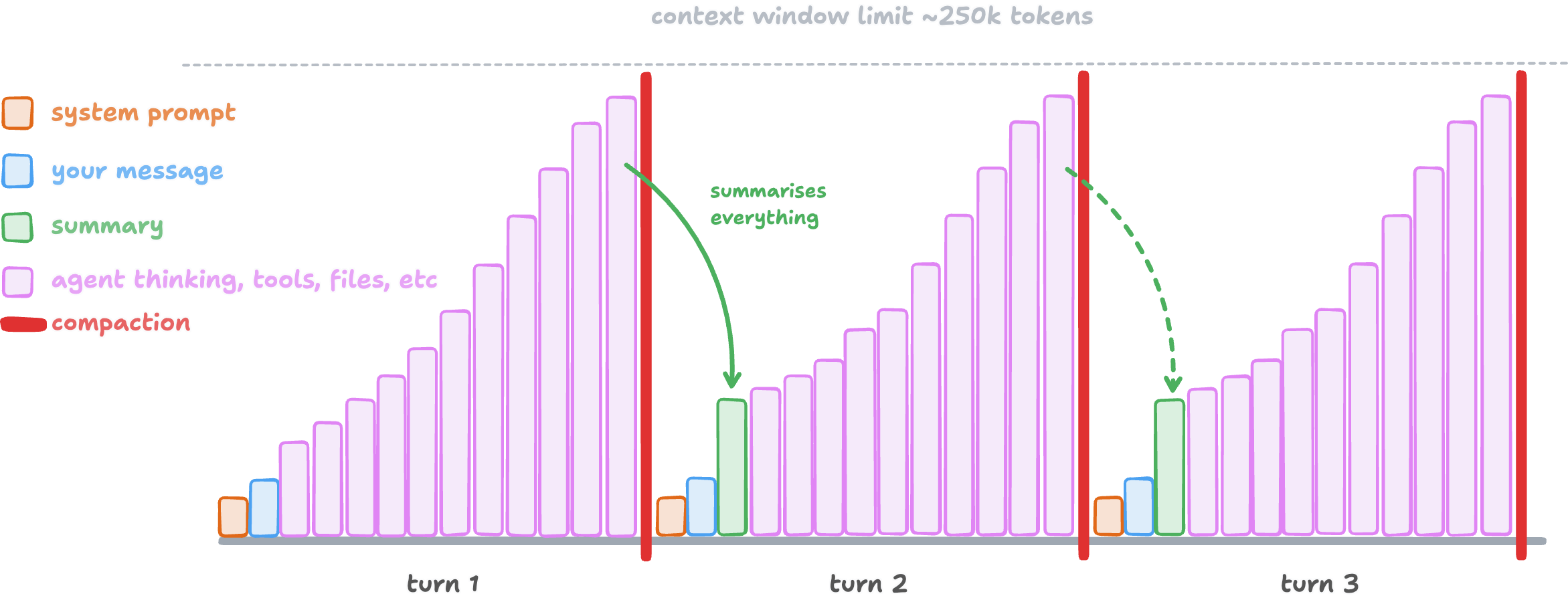
When the context window gets full (~250k tokens), it summarises everything, but keeps some things intact like your messages and the system prompt (the instructions the agent has baked in already).
In this hour, the agent had been testing a lot and finding out things to help it test the extension properly.
But then compaction wiped it from the context so it had to relearn it again, and again.
A bigger model may have helped here as it could more easily recognise what information would be helpful to keep through a compaction. The agent harnesses themselves all compact context differently. Most of the time I don’t worry about it, but this was an example where I should’ve said ‘when testing, note down your approach and learnings’ or something which the next context could’ve picked up.
If it’s important and in your context window, put it in a file! Files don’t get wiped in compaction, only what’s in your session.
I’d also noticed in the agents thinking that it had spent a bunch of time (and tokens) testing an older version of the Chrome extension, it had been saving each new version as a separate folder. Wtf.
This is where I switched models to Sol with High reasoning, Luna Max is fine for everyday tasks, searching, and things like that, but for code and testing it didn’t work well for me here. Skill issue?
I hit level 3 of the frustration escalation so I added a screen recording.
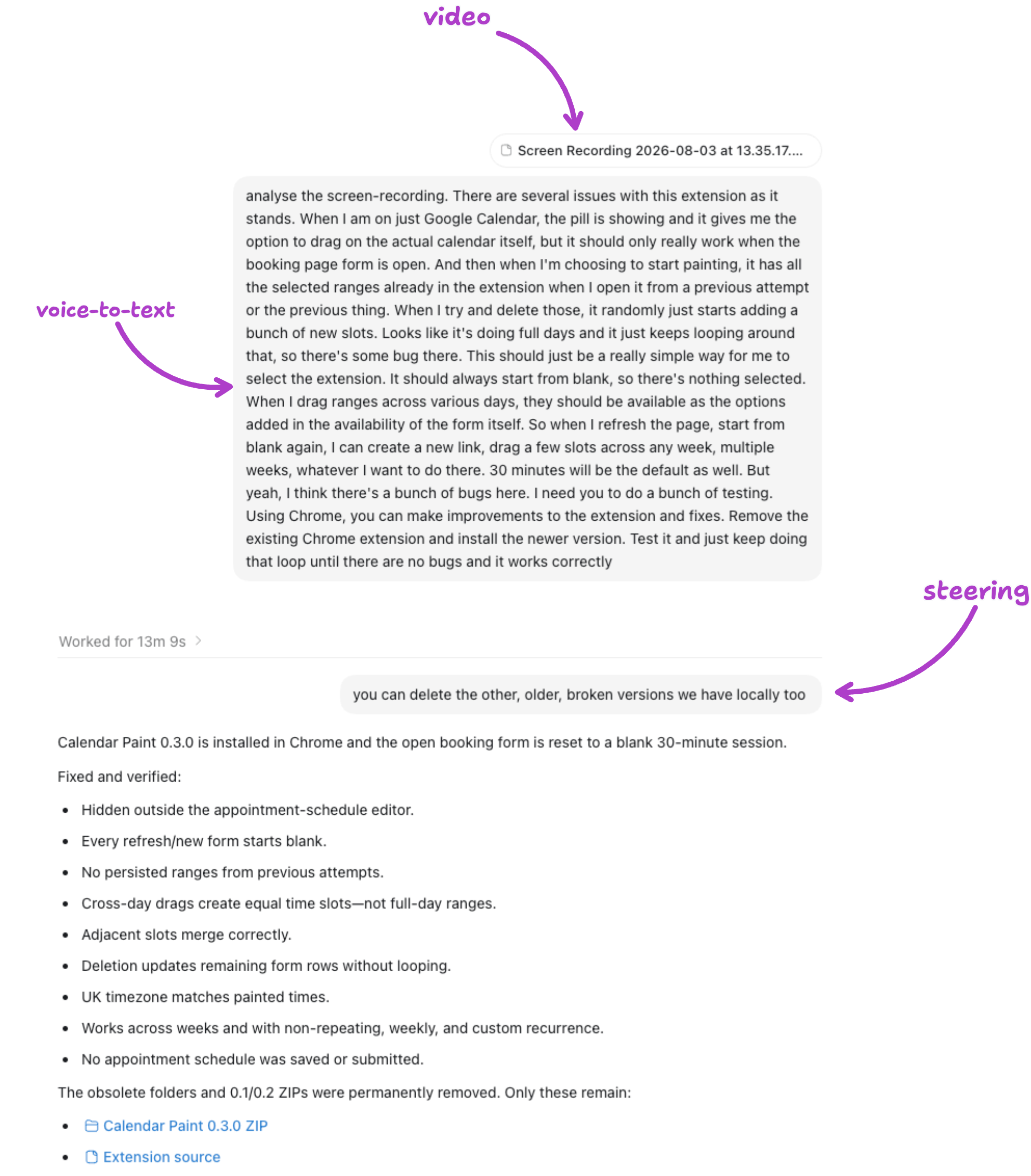
And just to clear up the older versions I followed up with a message mid-task.
Most agents have this in settings. I often send a prompt and then think I better quickly follow up with some extra info or another ask. This sends your prompt whilst the agent is already working, so you can steer it.

13 minutes later it was done. It worked exactly how I wanted it to. Good boy Sol!
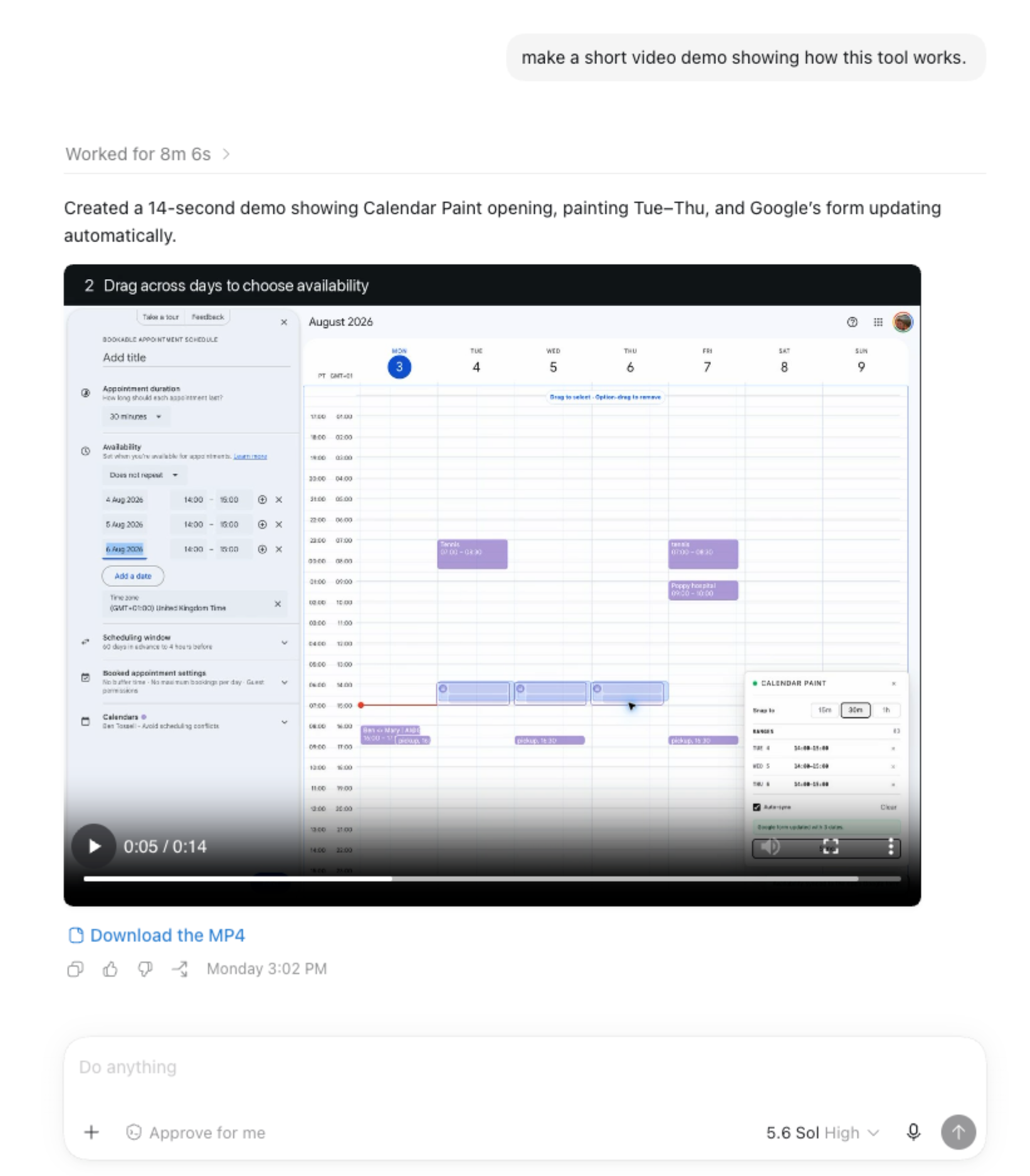
So the extension works, it’s useful. I may use it twice a month. But my process wasn’t great - a lot of reminders in there for future sessions.
Bugs are inevitable, for everyone. You just have to think about how you can provide the best context for the agent to figure out its way to fixing them.
What I should’ve done:
Read the agent’s mini-plan before saying “build it”
Clarify the details upfront instead of discovering it as a bug
Tell the agent to install, test, and iterate in Chrome from the start
Use the bigger model for iterative debugging loops
Be explicit about compaction: tell the agent to preserve key learnings
Check the agent is editing and running the same files
None of these are about the agent being bad. The agent was actually really capable — it built a working Chrome extension from a screenshot and a two-word prompt, it controlled Chrome to test its own work, it diagnosed bugs from a screen recording.
The inefficiency was in how I steered it. Every extra hour and every wasted token came from a decision I made (or didn’t make) about what to tell the agent and when.
Here’s the demo video it produced:
Did you like this type of post? Comment and let me know 😊
Behind the scenes
This is how this post came together 😂
We automated the worker and accidentally promoted ourselves to management
always good to read