

Hey folks, I had some time to build this week and I mentioned I’d go into a bit more detail on how I did it.
And at the bottom I’ll touch on the tools I’m using day to day.
What did I build this week?
An email app…
I use Gmail. I’ve used Superhuman for years. I like it a lot. It is fast, keyboard-first, clean, and is good software. But like many saas products, it keeps adding features that I don’t need and more importantly, I don’t need to be paying for email.
I wanted a split inbox and rules to organize my emails.
Kicking off with Codex:
I’ve got an idea. I want you to build me an email client so I can have things exactly how I want them. I’ll only be using it on my MacBook. It can run locally to start. Gmail should stay the source of truth.
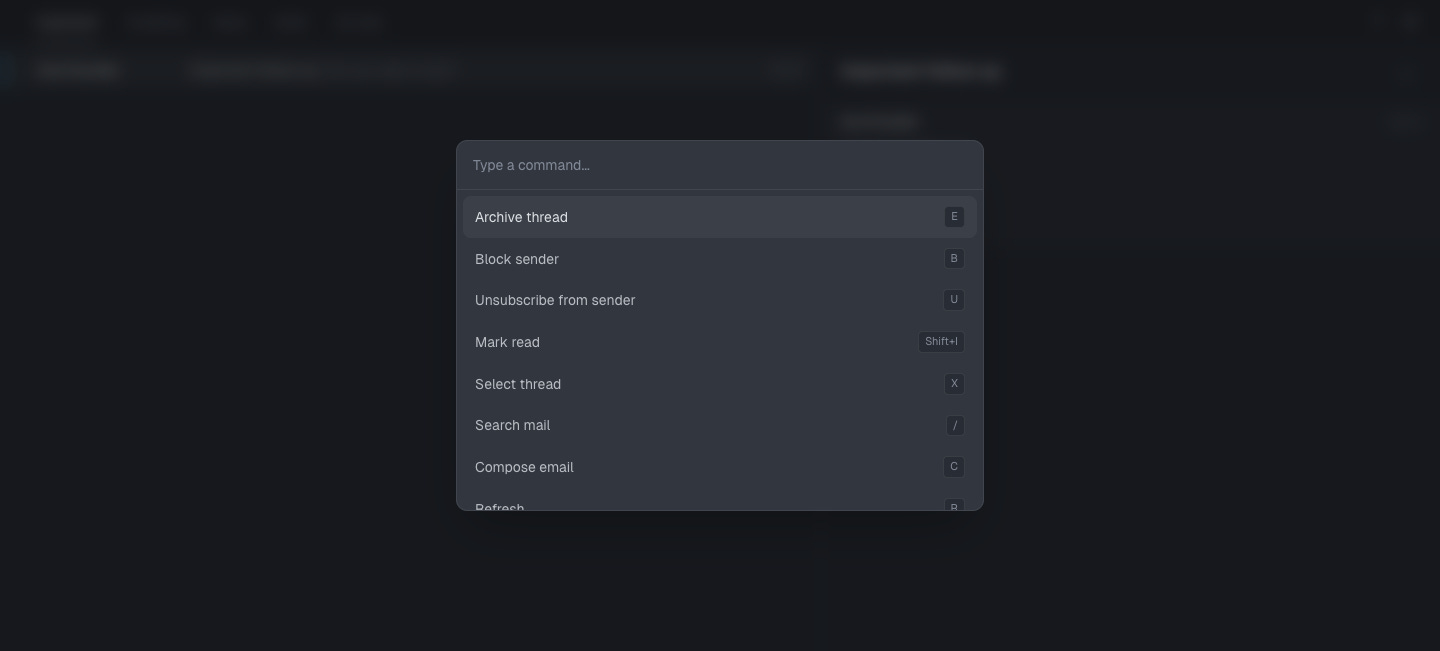
The end product has split inboxes, shortcuts, command palette, reply/compose, 20 second undo send, one-click unsubscribe, search, rules, filter sync, email rendering (mostly 😬) and built in a way that an agent can use it natively.
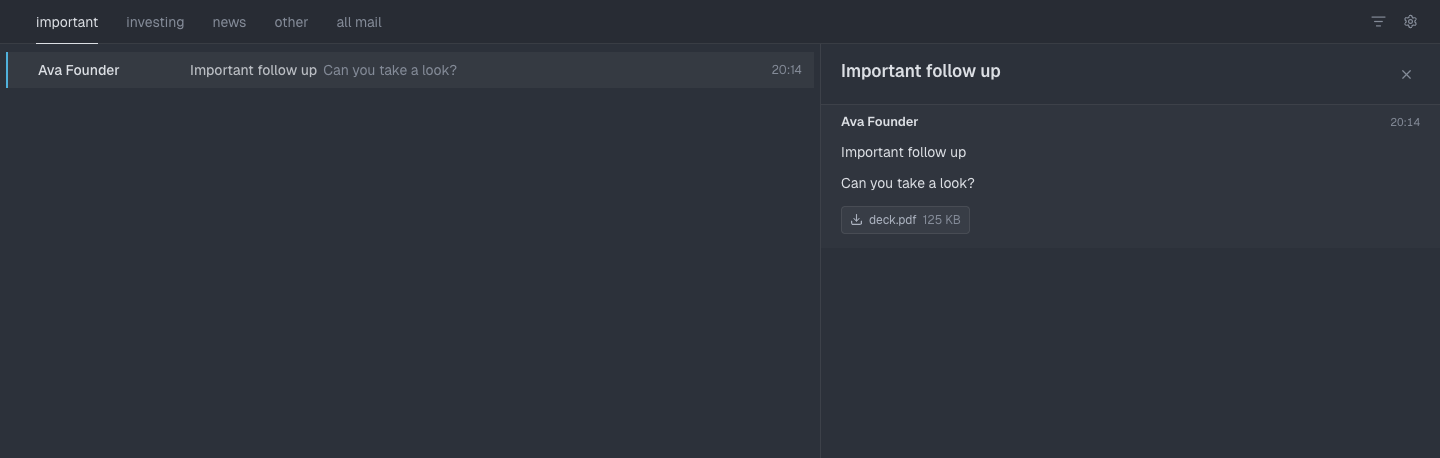
The code probably has slop in it, I wasn’t planning on sharing it but others have asked. So I will. But I’m only building it for myself.
Version 1
I already have labels I use all the time:
investing - for porfolio companies and LPs
fyi - receipts, updates, info I never need to read
cal - calendar invites
news - newsletters
pitch - PR emails that I don’t need to read
I don’t need AI to read every email and categorise it for me - filtering by domain or email address does a great job.
Codex did the first pass but struggled with the UX/UI so I moved to Factory which handled the polish (I could flit between Opus and GPT 5.5), many fixes, testing and getting the product right (enough).
First real issue
It was laggy. I’m using the Google Workspace CLI which can authenticate, fetch emails, and update labels - all the actions I need basically. The whole app is built on top of this.
Investigate why there is a delay with anything in this app. I want everything to feel instant.
It found the app was pinging Gmail too much, too often.
So it then started showing cached data immediately, refreshing in the background, prefetching thread details and updating the UI optimistically when I archive or label something.
This is one of the reasons I like building with agents. I’m learning along the way - obviously a database would help here - so we added that.
Labels and rules
At first labels were just labels. Press L, pick one, done.
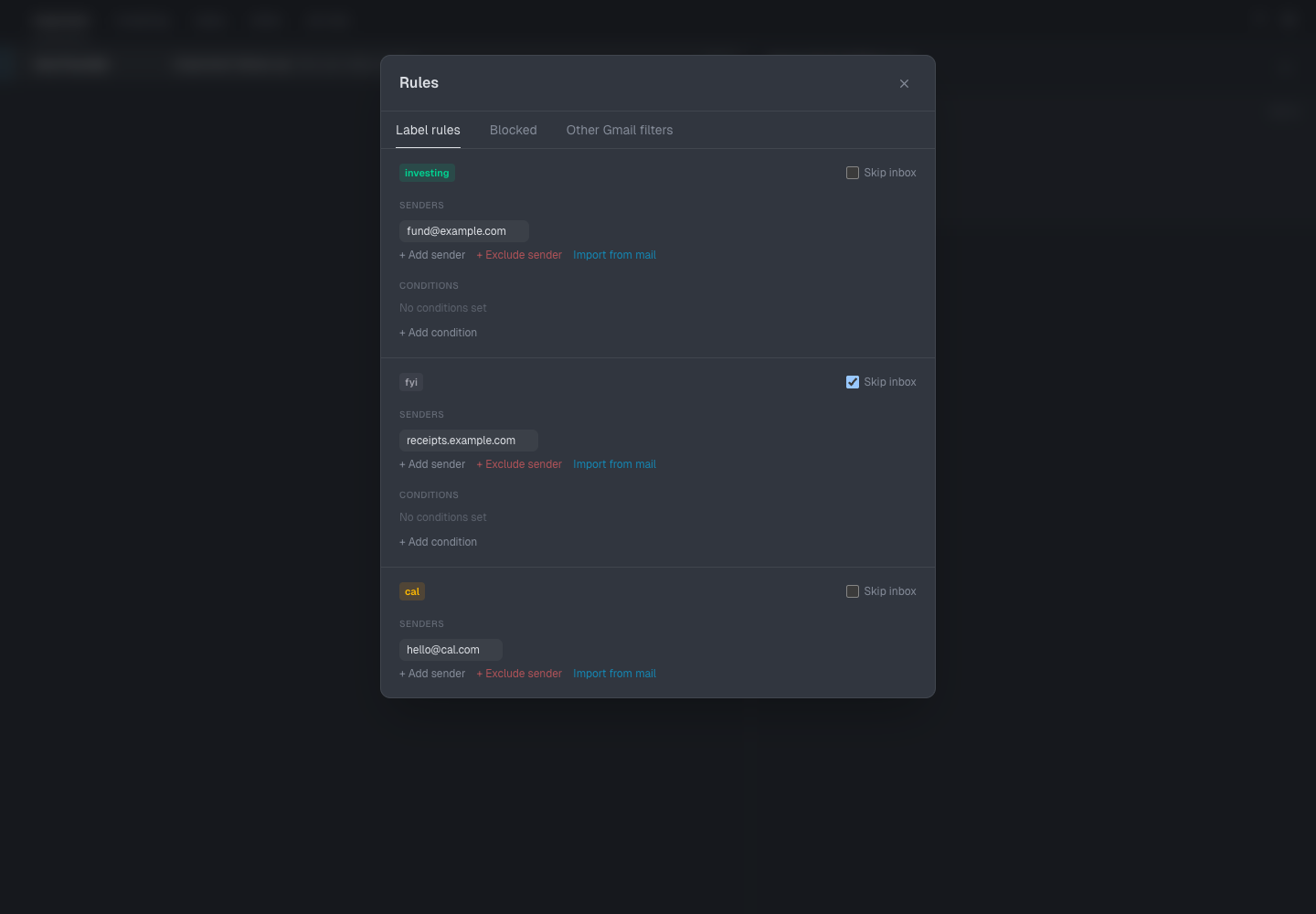
If I label something investing, it should move to Investing. If a rule says a label skips the inbox, Gmail should remove it from the inbox.
It’s obvious with Gmail filters but my agent was defaulting to a local rule file and not actually syncing with Gmail. Factory sorted it out thankfully.
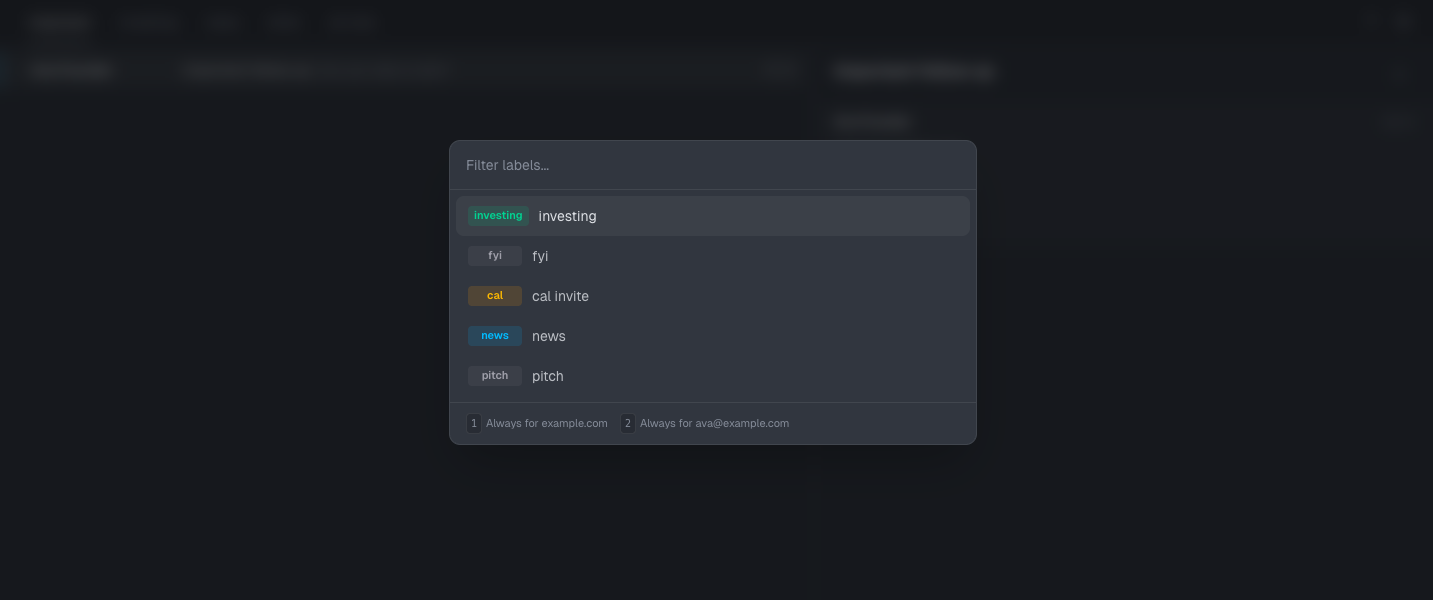
Then I decided I wanted to make rules richer - when I add a label rule, I should be able to define if it should happen to all domains or just that specific email address.
I originally did that with a notification to choose after labelling but then I decided to make it part of the label modal. Code is cheap - try it, then if it feels wrong, change it.
Making it agent-friendly
This app should be usable by agents while I’m talking to them. Add whatever hidden selectors/state/debug endpoints would help agents operate it, but I don’t want to visually see any of that.
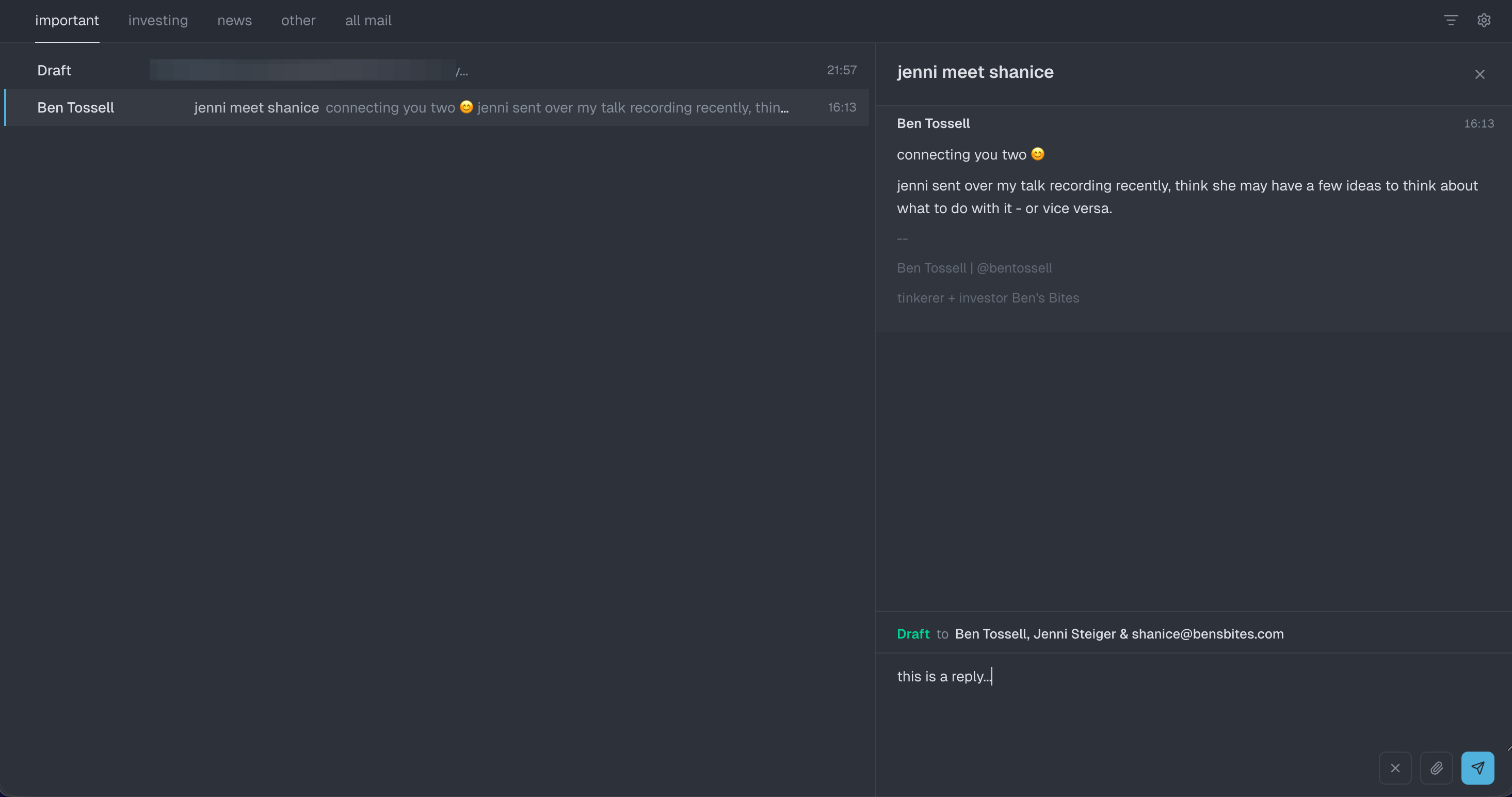
Adding reply functionality
Then I wanted to be able to reply, obviously.
Build full reply functionality. Default reply-all, editable to/cc/bcc, attachments. Cmd+Enter sends and archives, but waits 20 seconds before actually sending so Cmd+Z can undo.
This was a bigger jump than I thought… but after a bunch of UX iterations in Factory it feels pretty good.
Email rendering
Showing email sounds easy until you try to show email.
Plain text, Gmail HTML, newsletters, receipts, calendar invites, inline images, signatures, quoted replies, tracking pixels, weird MIME stuff. Horrible little world.
The email renderer needs to handle all kinds of email and display them well. Normal human emails should feel native. Designed newsletters/receipts can render differently. Use good open-source libraries.
Codex improved the system but with a bunch of specific rules like if this do that.
So I stepped away and tried to think about other ways to approach it. I know Obsidian has a web clipper that displays nice previews of web pages. So I got Codex to reverse engineer the chrome extension to understand how it works.
So then I asked to apply that approach to email rendering. It’s still not prefect and I’ve given up on perfect for now so normal emails look good (enough) and html heavy emails (like this newsletter, amazon, etc) just get shown as they are.
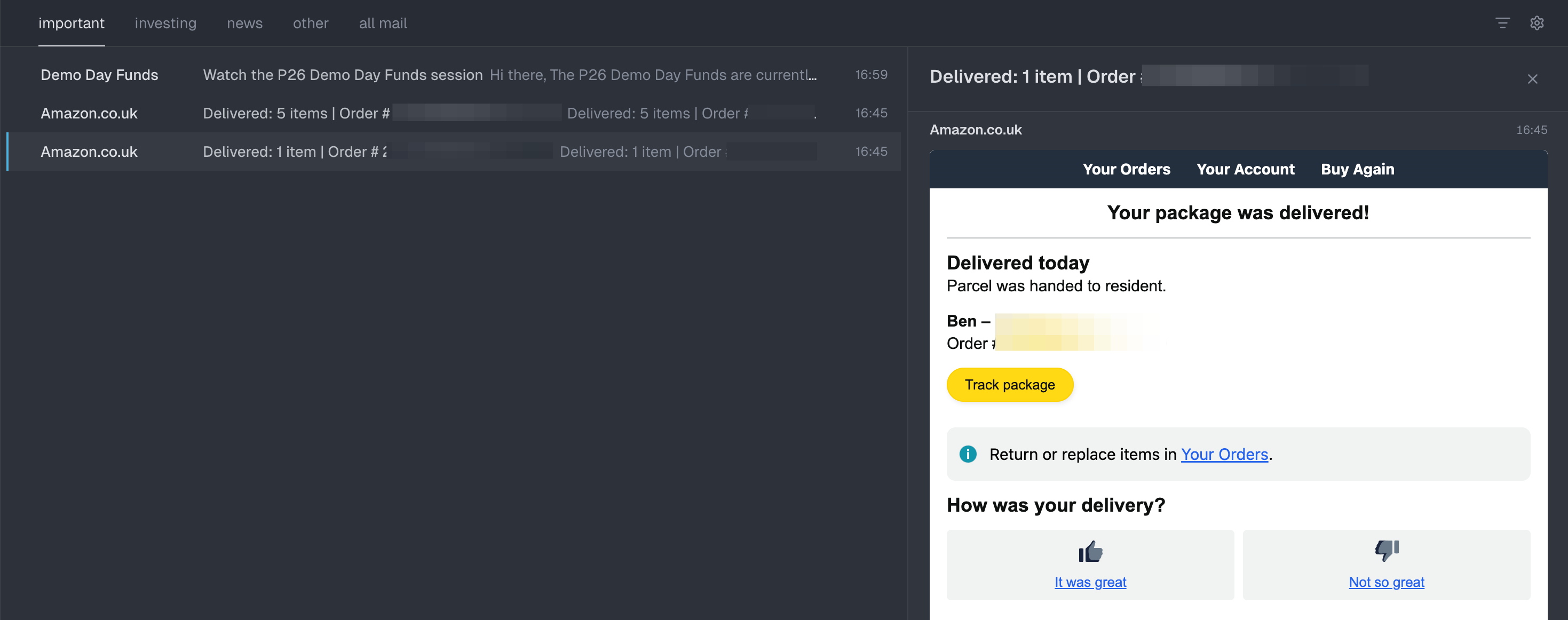
What can we do about signatures? They feel irrelevant.
But some emails have stupid signatures that look like designed HTML emails. So I got Factory to fix those and essentially hide that part of the email from the user.
Factory then found one of my favourite bugs. A normal email with a fancy signature rendered like a designed newsletter.
Why? Logo/table signature. The classifier thought the signature meant the whole email was a designed HTML email.
Search and All Mail
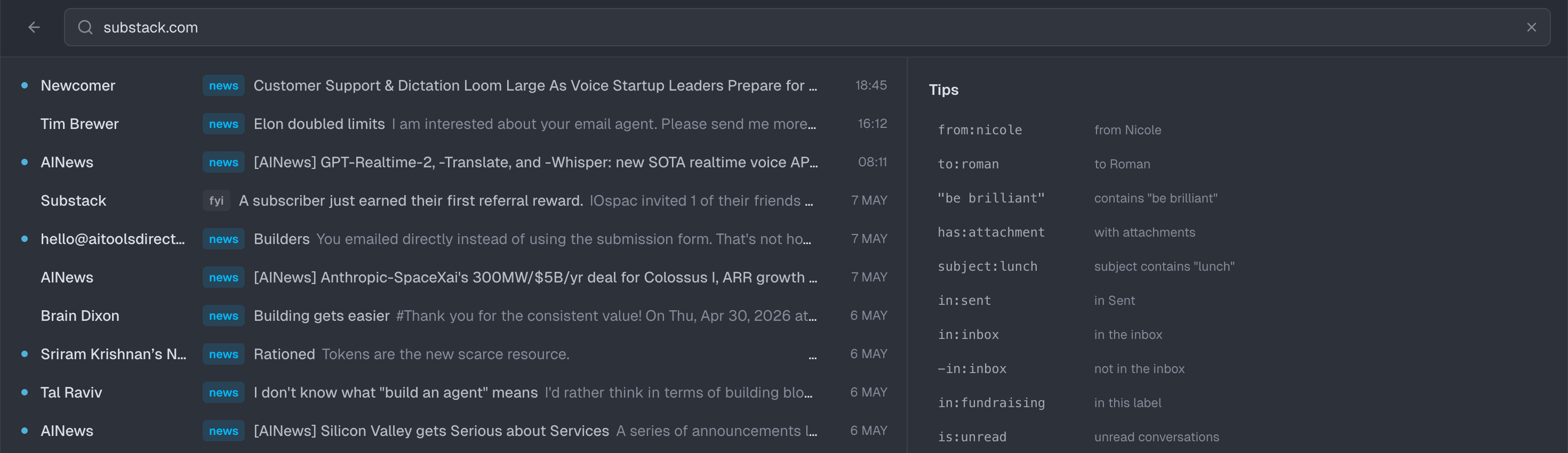
Then I added a search page for all my emails.
And then, All Mail, because sometimes I do need to see what’s been archived.
But it was a bit off…
Nah its funky as fuck. Use the browser to test it.
The fix was to lazy-load All Mail and stop hammering Gmail.
My takeaways
I don’t advise building an email client 😅.
If you want a feature (and then another) just build it and see what feels right. Code is cheap.
Switch between tools (harnesses) and models.
Think about other tools or apps that may do all or parts of what you’re trying to do. Ask your agent to reverse engineer it.
Use fresh sessions outside of your project to get unbiased opinions on implementations. Your agent is influenced by everything in it’s context.
Ask the agent a lot of “I assumed it was doing this, is it?”, “Why does this happen?”, “Whats the best way to do this?”, “What are the tradeoffs of this approach?”
Get agents to use the browser to test things out, a lot.
You learn a lot from building for fun or for the sake of it. So just build stuff!
My stack
So many tools. So little time.
Everyone feels the same - so just find tools you need for the job you need to complete. Don’t worry about all the new shiny tools every day.
Day-to-day ‘work’ i.e. brainstorming, talking about ideas, essentially everything non-coding heavy (like bigger projects or apps) I’m still using Pi, but now with GPT 5.5 since Anthropic has cracked down…boo! But I’m liking 5.5 - GPT models tend to follow instructions more directly so it really matters what you have in your AGENTS.md and context.
I’ve also spent the last 2 weeks in the Codex app - it’s really good. Use a VPN if in EU/UK so you can use the chrome and computer use tools. But I still find myself preferring the terminal (with Pi) because you can see everything the agent is doing and jump in to course-correct (or tweak your instructions). But IMO this app is better than the Claude variants. Don’t bother using Cowork - it’s limited and they’ll merge it into Claude Code soon enough - don’t be put off by ‘code’ in the name. All these coding agents are just great general agents.
For ‘real’ coding i.e. when I’m serious about building something, I use Factory. It’s the best harness for code, especially if you don’t know how to actually code. It’s more complete, and seems to handle everything much more than others I’ve used - plus you can switch between Claude and Opus models very easily. They recently launched a $100 plan too with better limits too.
For full stack apps I’m sticking with Vercel, Stripe and Supabase. I just started using Stripe’s projects.dev which will set up all three of those apps (and many others) all in one. Your agent can basically just use projects.dev, set up, manage and link all the other services you need to get apps setup properly. Super helpful as you don’t have to manually add or manage each yourself.
I use here.now a lot - I’m always spinning up new sites for random ideas or tasks like visualising data and things of that nature. Plus sites are easier to read than pure documents. Just give the instructions (copy from the homepage) to your agent and you get free websites spun up on-demand. Super slick and easy.
For document editing and writing I’ve been using Clearly quite a lot recently. I like it - I don’t know what I really want out of a document editor like this, truly I just want to view and edit docs within whichever tool I’m using (pi/droid/codex) but none let you do all of that…yet.
That’s mostly it - other than a bunch of CLI tools like downloading youtube videos or podcasts, getting transcripts, and I use markdown.new for my agents to easily grab website information (It’s in my AGENTS.md so my agents use it - i.e. https://markdown.new/www.example.com - but I recently discovered defuddle.md which I may switch to).
If you know a builder that’d find this useful, feel free to forward to them.
Have a great weekend!
The DIY-vs-Superhuman calculus is going to keep tilting toward DIY now that Codex and Claude can stitch together a usable email app in a weekend. The interesting question is whether single-user custom apps eat the long tail of vertical SaaS — Superhuman's $30/mo pricing was always indexed to the cost of building it for yourself. That floor just dropped.
Is it the customization keeping you on Pi over Codex's CLI?